
Business Automation
Let the routine run itself.
CRM software brings your customers, requests and deals into one system on Microsoft Dynamics 365. We take the work your team does by hand today, the reminders, hand-offs, approvals and re-typing, and set it to run on its own, with a record of every change along the way.
Less done by hand, one feature at a time.
Each feature takes over a job someone does manually today. They share the same records, so nothing is typed twice and nothing waits on a reminder.
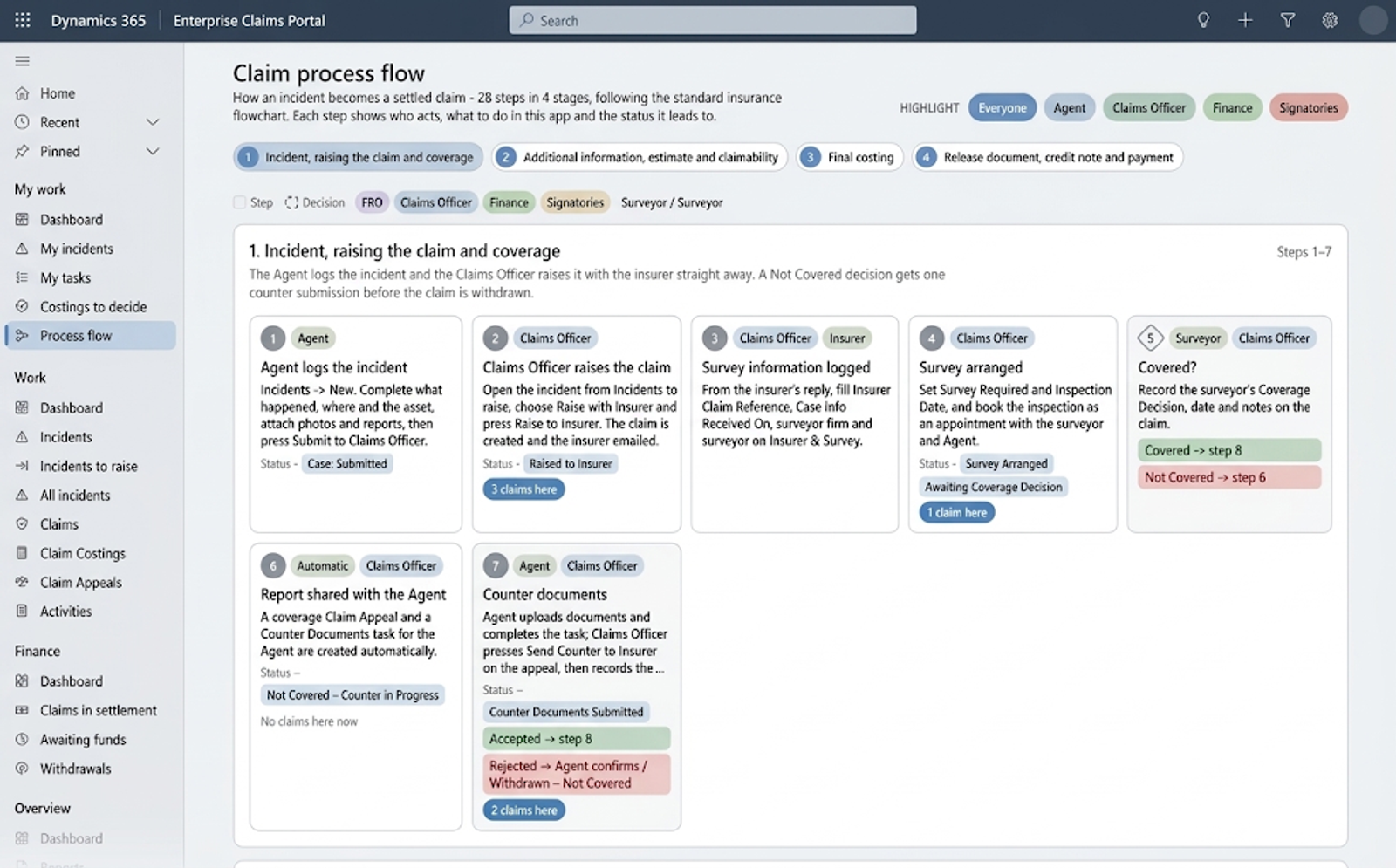
Workflows
The follow-ups, approvals and hand-offs, done for you.
A workflow waits for something to happen, such as a new enquiry, a deal won or a payment overdue, and takes the next step itself: it assigns the work, tells the right person, asks for an approval or updates the record. The steps your team repeats every day stop depending on someone remembering them.
What you can do
- Steps that start when a record is created or changes
- Approvals answered straight from Teams or Outlook
- Reminders and escalations when something stalls
Why it helps
- No enquiry left waiting for someone to notice it
- Approvals in minutes instead of days
- Hours of chasing handed back to your team
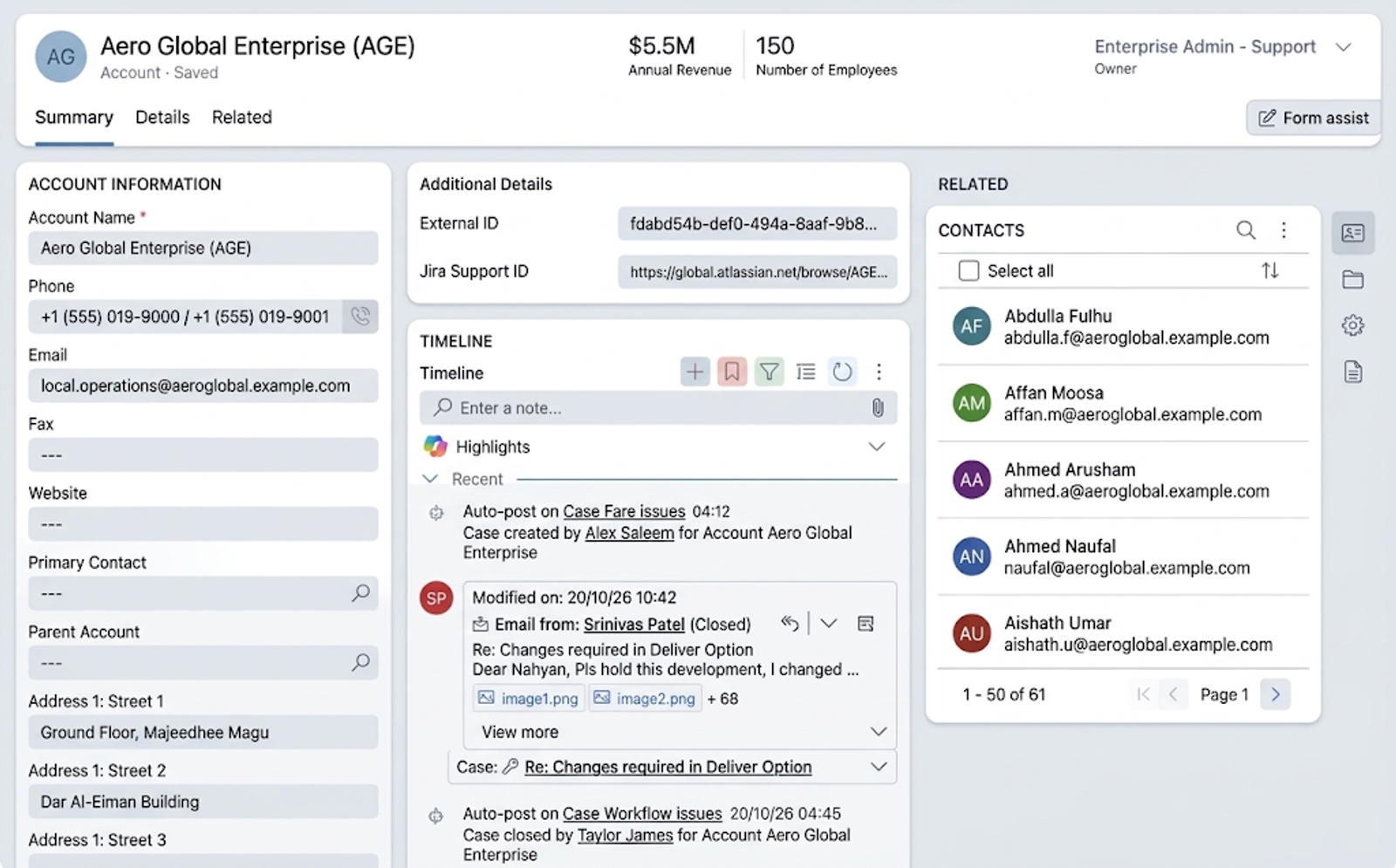
Relationship management
Every customer, contact and conversation in one record.
Each customer has one record holding their contacts, deals, emails, meetings, calls and requests, so whoever picks up the relationship sees its whole history. Prices and deals can be kept in more than one currency, converted at the rates you set.
What you can do
- Companies, contacts, leads and deals linked together
- Emails and meetings saved to the customer from Outlook
- Deals in several currencies, at your own exchange rates
Why it helps
- A customer's history stays when a salesperson leaves
- Hand-overs without starting again
- A clear view of what is in the pipeline and what is stuck
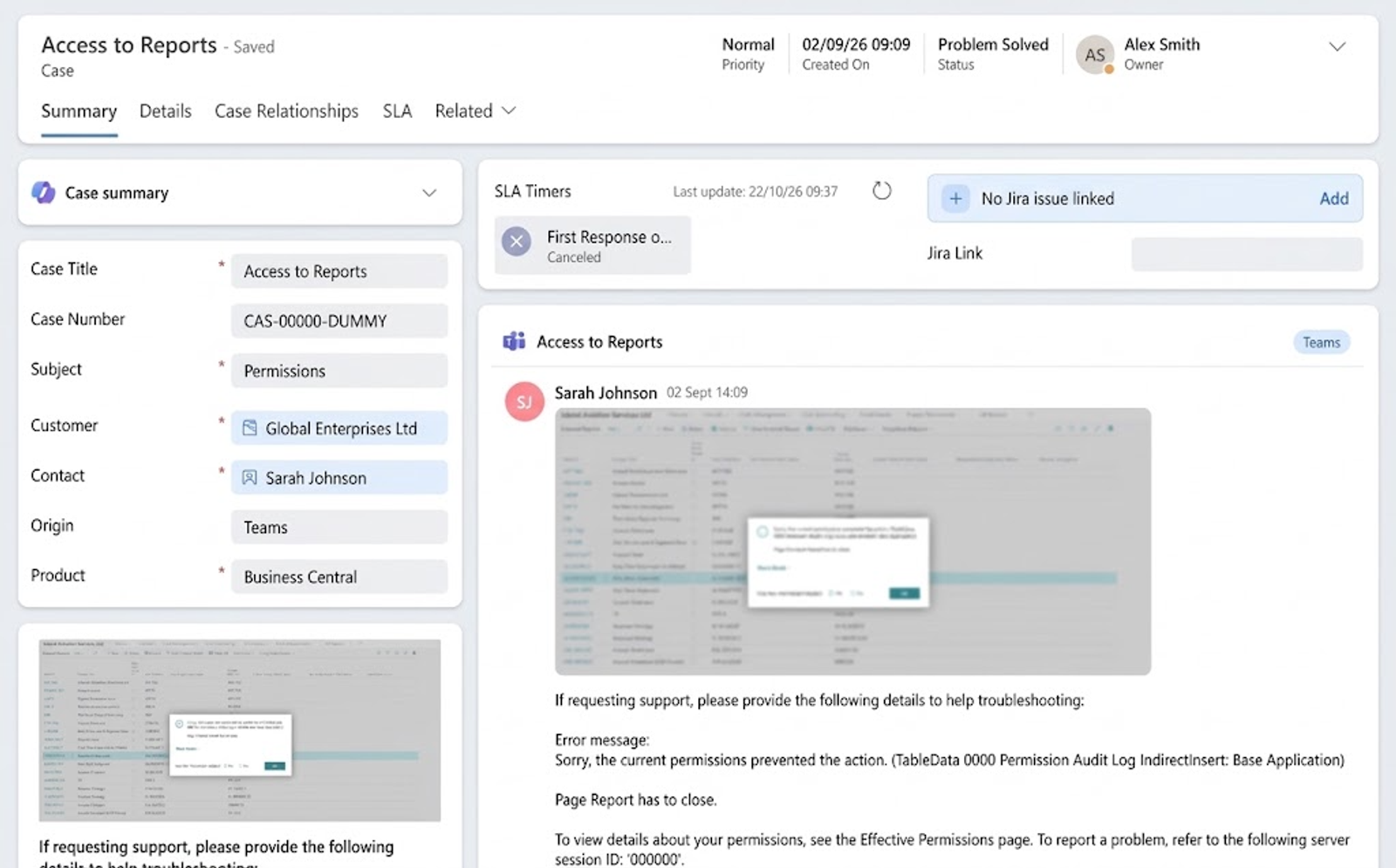
Case management
Every request tracked from the first message to the fix.
A guest's complaint, a warranty claim or a tenant's repair becomes a case the moment it arrives. It goes to the right team, is timed against the response you promised, and stays open until it is resolved, so nothing is left sitting in someone's inbox.
What you can do
- Cases sent to the right team or person
- Response times measured against your own working week and public holidays
- A shared library of answers for common questions
Why it helps
- Nothing lost between inboxes
- Promises to customers kept, and seen to be kept
- New staff answer like experienced ones
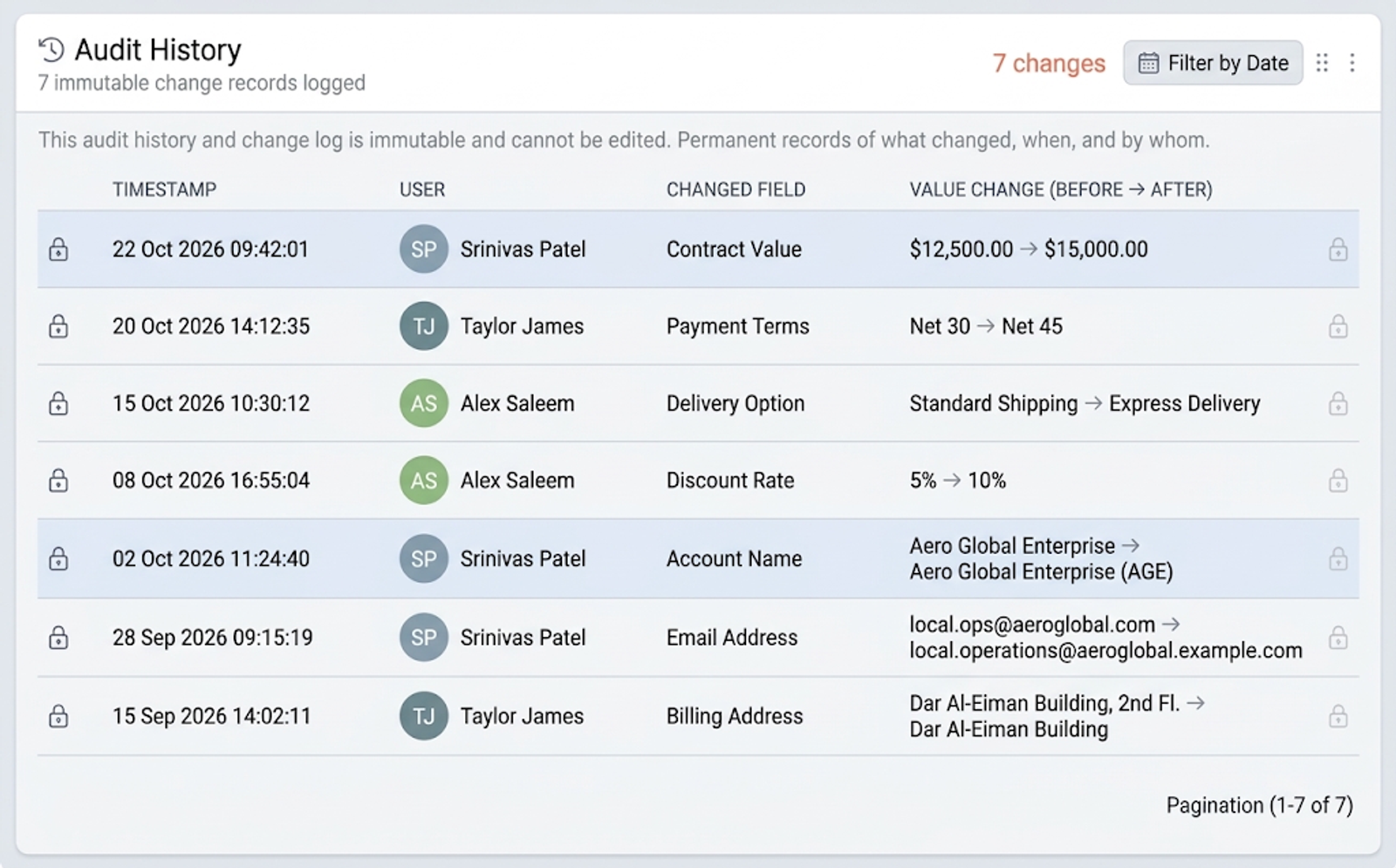
Audit history
A record of every change, and who made it.
Audit history notes who changed a record, which details changed, what they were before and after, and when. The entries can't be edited, so when a price is questioned, a customer disputes what was agreed or an auditor asks, the answer is already on file.
What you can do
- The old and new value of every change
- Who made it, and when
- Sign-ins recorded too, and kept for as long as you choose
Why it helps
- "Who changed this?" answered in seconds
- Evidence ready for auditors and regulators
- Mistakes traced and put right, not argued over
Forms & views
Capture it once, find it in a click.
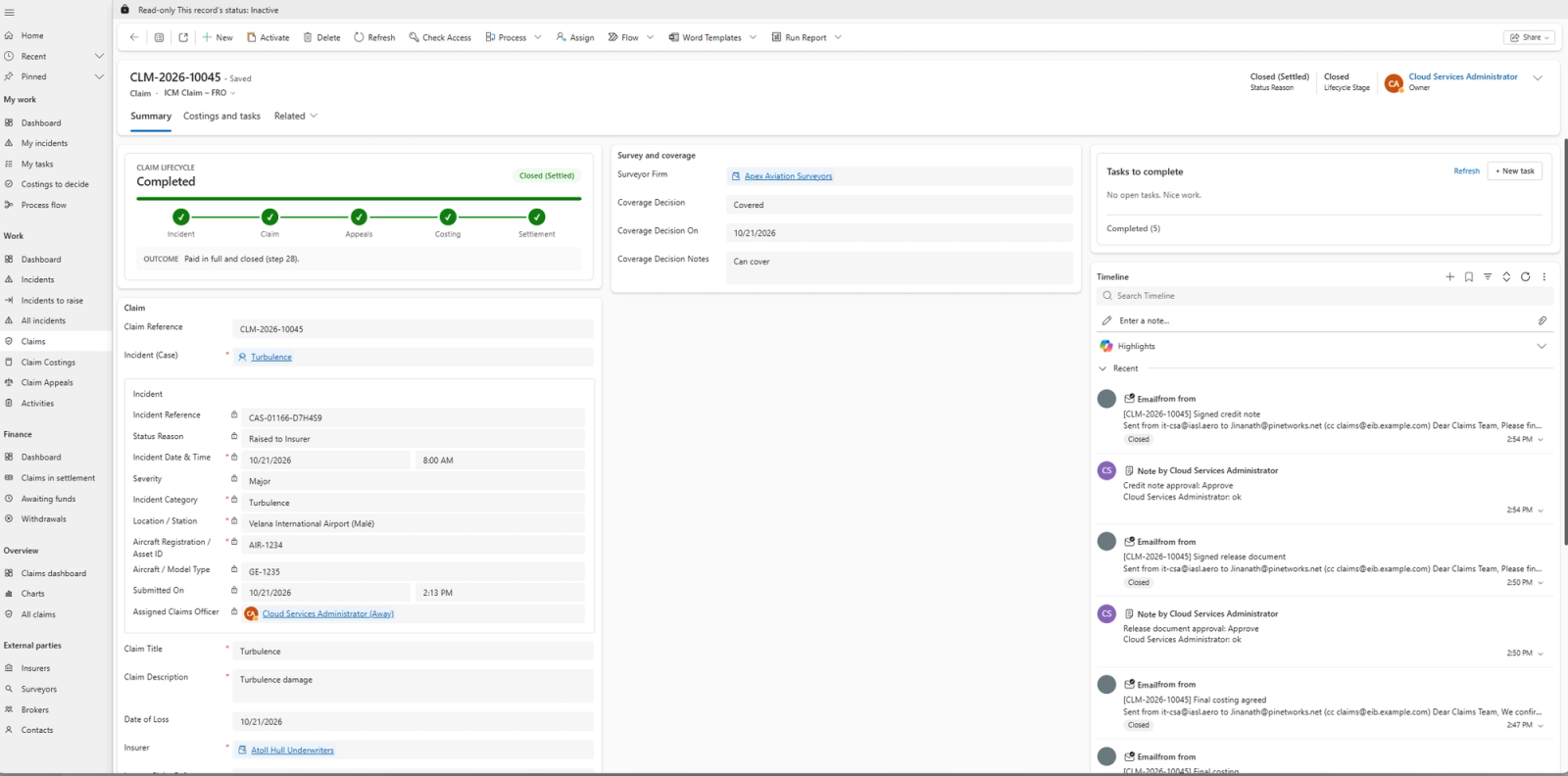
Forms are the screens your team fills in, laid out for each job, with fields that appear or become required as they are needed, so a record is complete the first time. Views are saved lists, such as "my open deals" or "cases due today", that sort and filter the records for each person.
What you can do
- Forms laid out for each role and task
- Fields that show, hide or become required as you go
- A warning when a customer is already on file
Why it helps
- Complete records without chasing missing details
- Each person starts the day with their own list
- No more of the same customer entered twice
Dashboards
The state of the business, as it is right now.
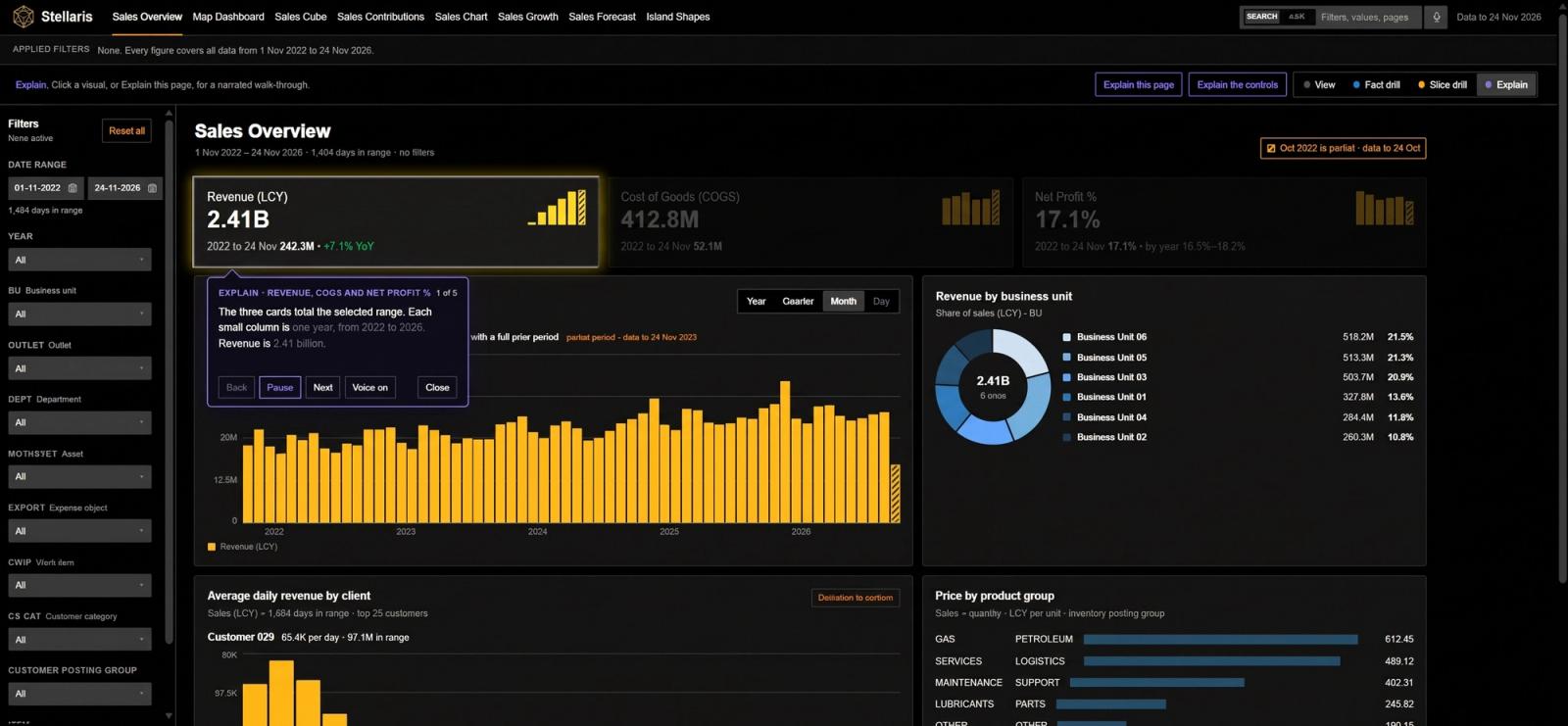
Dashboards turn live records into charts and lists: sales by stage, cases by priority, work by team. Power BI reports can sit on the same screen for deeper analysis, and each person opens straight onto the numbers they are responsible for.
What you can do
- Charts and lists that update as records change
- Power BI reports inside the CRM
- A dashboard for each role
Why it helps
- No waiting for the month-end spreadsheet
- Bottlenecks spotted while they are forming
- Meetings that start from the same numbers
Microsoft 365 & other apps
Works inside the tools your team already uses.
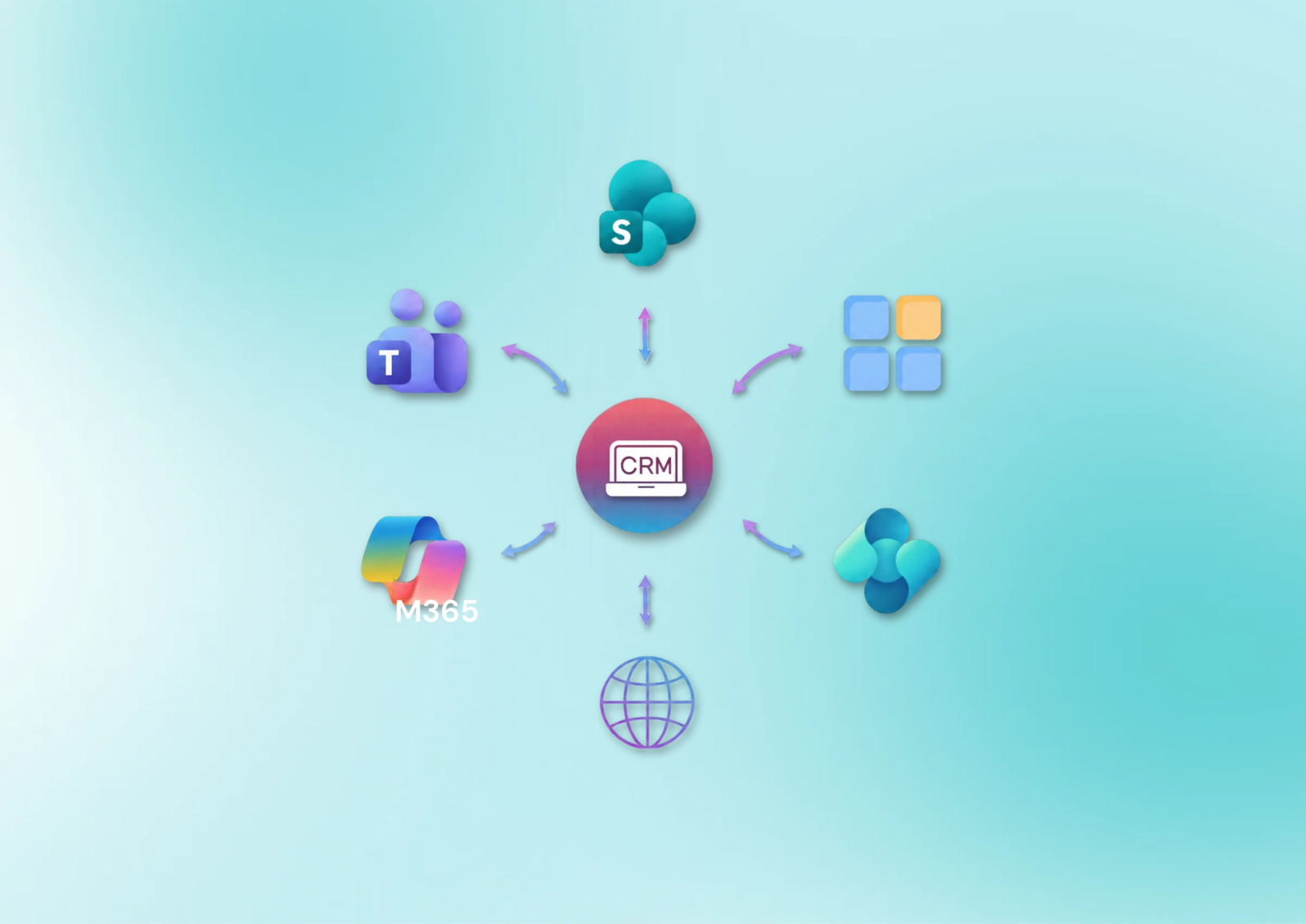
The CRM works alongside Outlook and Teams, keeps documents in SharePoint and opens lists in Excel. Beyond Microsoft, it connects to your website, accounting system and other business apps, so information moves between them without anyone copying it across.
What you can do
- Outlook: emails and meetings saved to the right customer
- Teams: records shared and discussed in chat
- SharePoint: documents kept with the customer's record
- Connections to your website, accounting and other apps
Why it helps
- Staff stay in the apps they already know
- Website enquiries arrive as leads on their own
- The same customer details in every system
Custom applications
Apps built around the way you work.
Where a standard feature doesn't fit, we build an app on the same platform, for bookings, inspections, onboarding or any process still run on paper and spreadsheets. It uses the same records, security and audit history as the rest of the CRM, and works on phones, even where the signal drops.
What you can do
- Records, screens and steps designed for your business
- Phone and tablet apps that keep working offline
- The same security and audit history as the CRM
Why it helps
- Paper forms and spreadsheets retired
- Staff record work on site, with or without signal
- One platform instead of another system to maintain
More to offer.
Beyond the core features, the platform saves time in smaller ways every day.
Your data, brought across
We move your existing spreadsheets and records into the CRM as part of the setup, so no one starts from a blank page.
Guided stages
A deal or case shows the stages it goes through and what each one needs, so every step is followed in order.
Access by role
Each person sees and changes only what their role allows, down to single fields such as prices or salaries.
Mobile app
Customers, deals and cases on the phone, for staff who spend the day away from a desk.
Your own language
Each person can use the CRM's menus and screens in their own language, Arabic included.
WhatsApp and web chat
Messages from WhatsApp and your website's chat reach your team in the CRM, beside the customer's record.
Copilot
Summarises a customer or a deal and drafts emails, for your team to check before sending.
Excel in and out
Bring in a spreadsheet of contacts, or take any list out to Excel to share or work on.
Email templates
Standard replies and quotes written once, with the customer's details filled in for you.
Manual work grows with the business.
Every new customer brings more to keep track of: more spreadsheets, more reminders, more details copied from one place to another. A CRM moves that work from people to the system, so growth doesn't have to mean more overhead.
Entered once
A detail typed in one place reaches every screen and report that needs it.
Moves on its own
Hand-offs, reminders and approvals happen when they should, not when someone remembers.
Seen by everyone
Sales, service and management work from the same live records, not their own copies.
Kept on record
Every change is logged with who made it and when, so the history can be trusted.
Is it right for you?
If any of these sound familiar, that work can run on its own. Tell us where your team's time goes and we will show you where to start.
Start from the problem
We chase approvals and follow-ups by phone and email
WorkflowsCustomer details live in spreadsheets, phones and chat groups
Relationship managementComplaints get lost between inboxes
Case managementNo one can say who changed a price or a record
Audit historyRecords are missing details, or the same customer is in twice
Forms & viewsReports take days to put together at the end of the month
DashboardsStaff type the same details into several systems
Microsoft 365 & other appsParts of the business still run on paper forms
Custom applications
Bring these answers to the first call
Rough answers are fine. They help us see where the manual work is and what to automate first.
- Which tasks does your team repeat every day or every week?
- Where do your customer records live today: spreadsheets, another system, or people's phones?
- How many people would use the CRM, and in which teams?
- How do customers reach you: email, phone, your website or messaging apps?
- Which other systems should it connect to, such as accounting or your website?
- Do auditors or regulators ask who changed what, or where your data is kept?
Ready to take the manual work out?
Tell us where your team's time goes today. We will map the work and show you what can run on its own.