
Business Automation
Business Central, made to fit your business.
Ten extensions for Microsoft Dynamics 365 Business Central, from budget control and Maldives tax to warehouse scanning and a daily health check. Each one adds what your business needs, inside the system your team already uses.
Ten extensions. One system.
Each extension does one job inside Business Central, so you add only what your business needs.
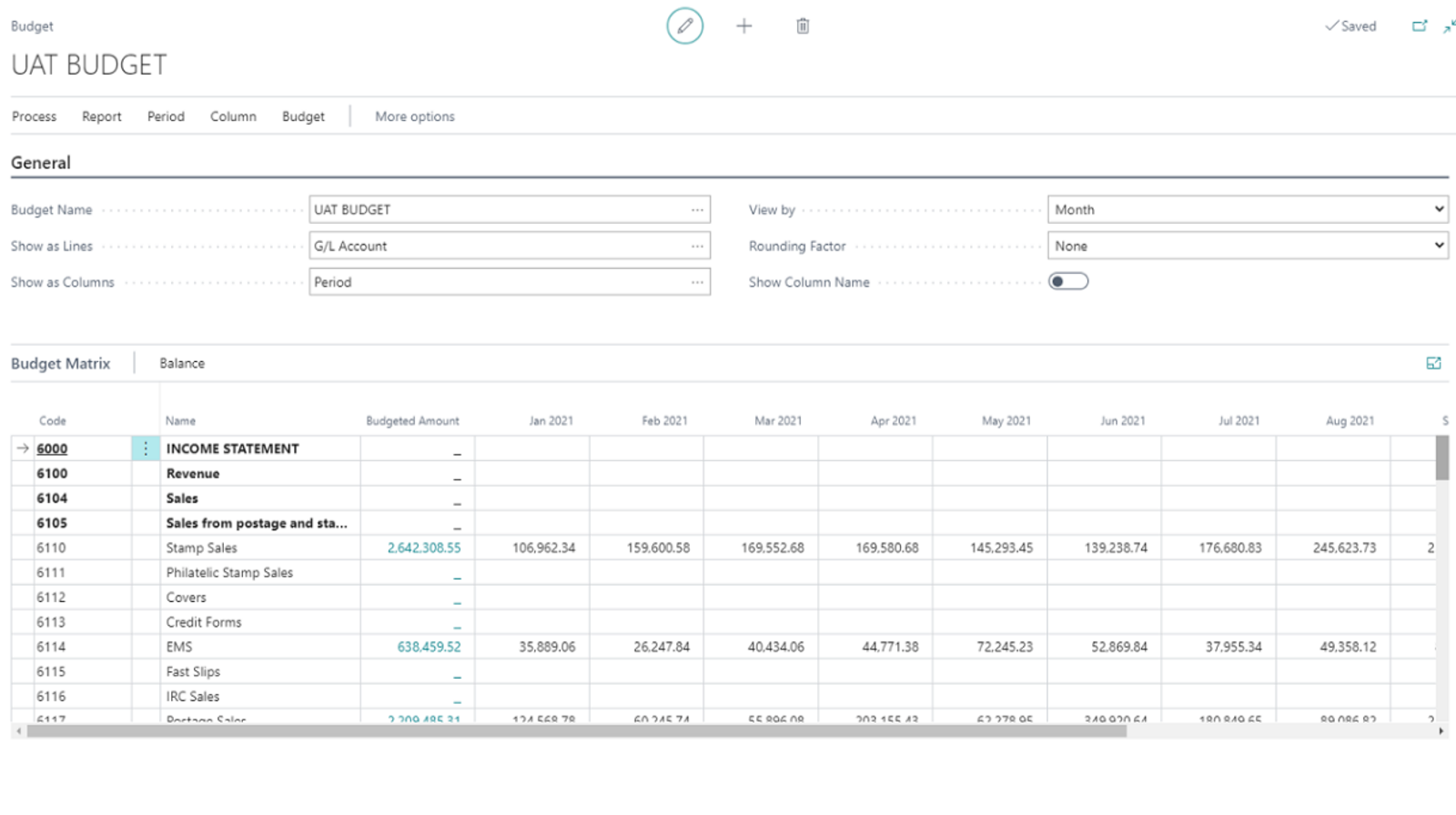

Budget Control
Every purchase checked against its budget, as it is raised.
Budget Control adds budget checks to Business Central. Budgets are set by activity or by department, and purchase documents are validated against them automatically, so spending stays within what was approved without anyone monitoring it by hand.
What it does
- Central setup: budget intervals, carry-forward and up to six dimensions
- Budgets imported from Excel, by activity or department
- Purchase documents validated against the budget, with a drill-down to those affected
- Budget reserved at the request and requisition stages
- A budget transfer journal for G/L-to-G/L transfers, with multi-level approval
- A Budget Statistics report on utilisation in real time
Why it helps
- No more monitoring budgets by hand
- Every budget transfer recorded and approved
- Budget utilisation seen as it happens
- Budget rules enforced at the point of purchase
- Plans based on actual spending patterns and variances
- Works inside Business Central, with nothing new to learn
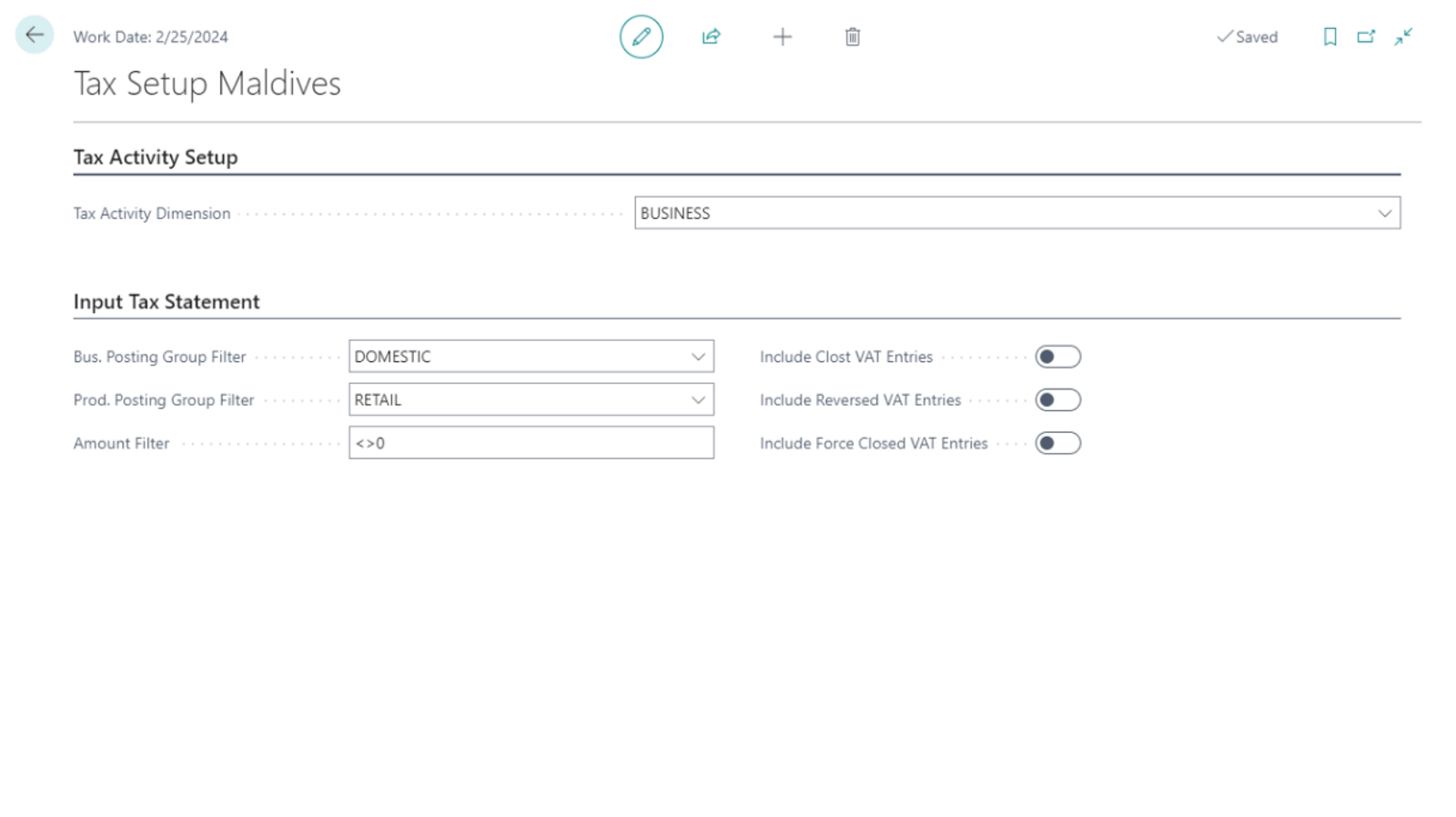

Maldives Tax Localization
GST and tax reporting to MIRA's standards, from Business Central.
We built it for businesses in the Maldives, to meet the Maldives Inland Revenue Authority's (MIRA) requirements for GST, tax reporting and classification by tax activity number. Financials are broken down by tax activity, and each tax entry carries the activity number the Output and Input Tax reports need.
What it does
- Tax activity numbers for each business activity
- GST setup and reporting to MIRA standards
- Output and Input Tax statements
- Monthly and quarterly tax reports
Why it helps
- Tax reports generated to the specifications you set
- Tax payable calculated and posted by the system, free of calculation errors
- No re-keying: it uses what was entered during sales and purchases
- Reports ready for filing on time, with no manual work
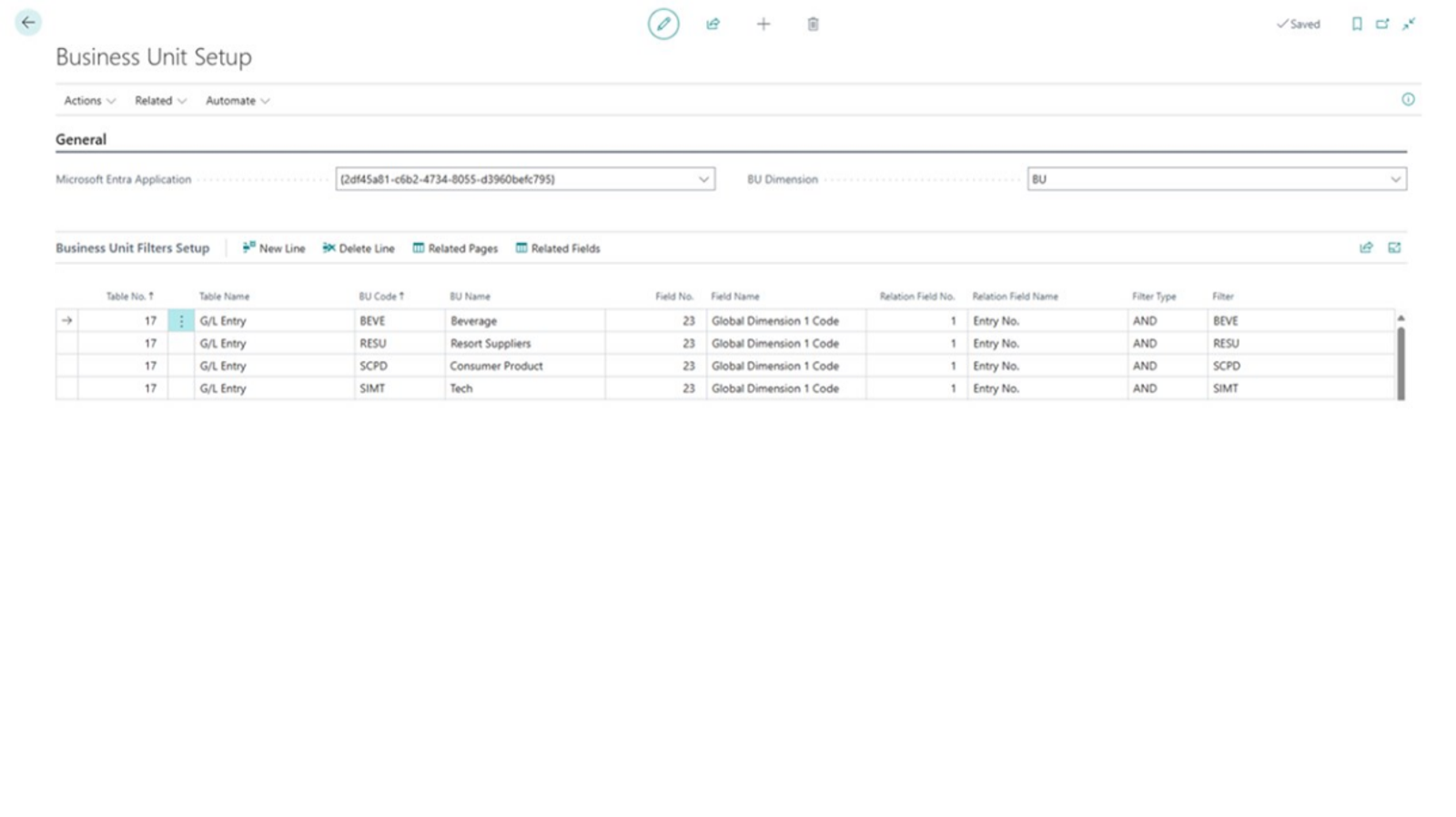

Business Unit Management
Each business unit sees only its own data.
Built for companies that run several business activities in one Business Central company, Business Unit limits what each user can see and work with to the data of their own unit, so data stays secure and every unit works from what is relevant to it.
What it does
- Choose the tables that business-unit restrictions apply to
- Choose the pages they apply to
- Assign users to business units
- An assisted setup guide
Why it helps
- Access limited to each unit's own data
- Less risk of unauthorised access and data breaches
- Fewer decisions made on another unit's figures
- Workflows aligned to the data each person needs
- Better resource management across divisions
- Each unit runs efficiently, its critical data safeguarded
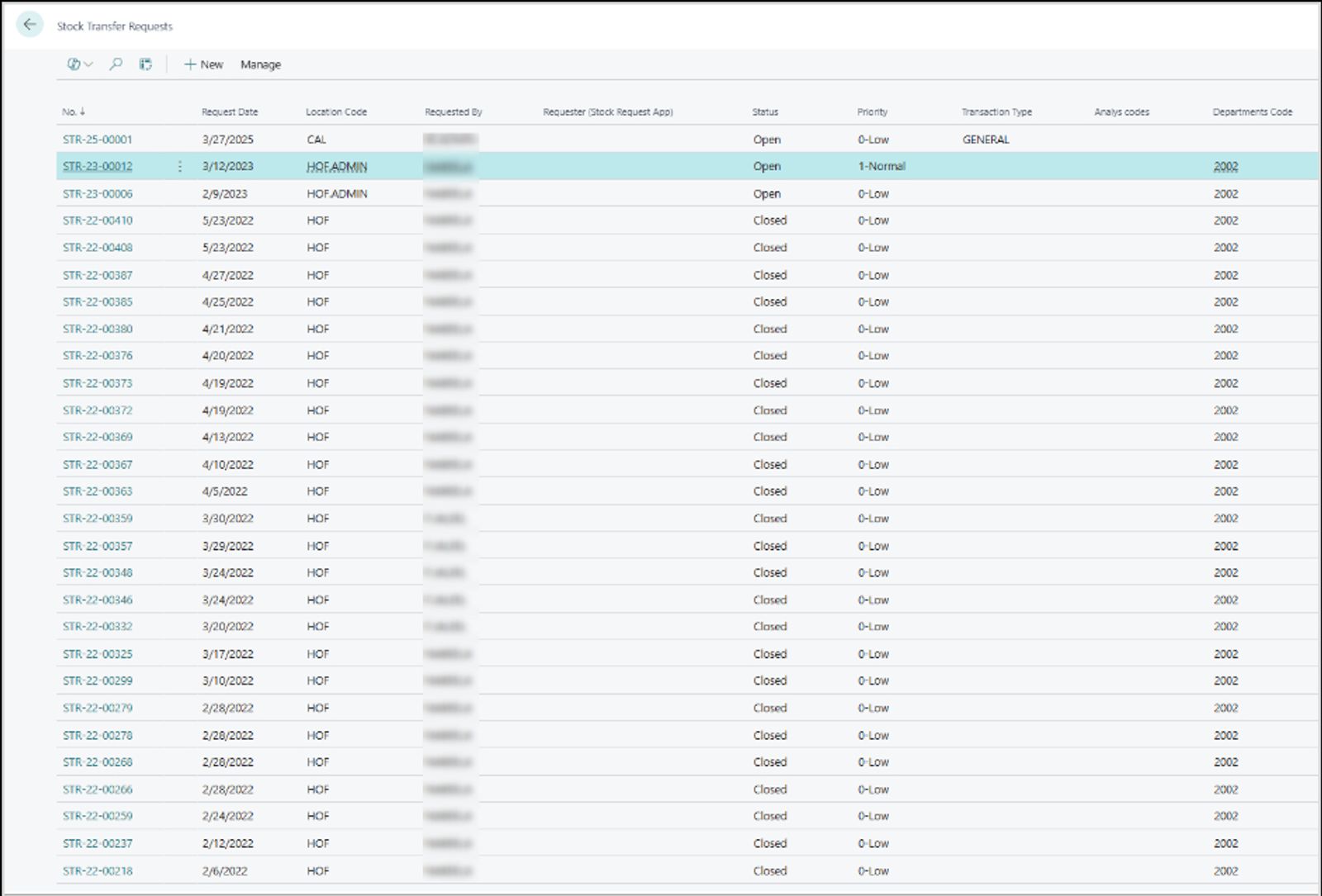

Stock Request Management
Every stock request in one place, from request to transfer.
Stock Request Management brings every stock transfer request into one place in Business Central, so the team can decide whether to transfer or buy, carry it out and track it in real time.
What it does
- All stock transfer requests in one list, to transfer or to procure
- Transfer orders created and tracked from the Stock Transfer Requests page, with live status
- Consumption entries posted automatically from goods and service requests, with optional reason codes
- Dedicated teams and user roles for stock requests
Why it helps
- Less manual work, and requests filled faster
- Stock movements and transfers seen across every location
- Clear accountability, with each user's actions tracked
- Consumption posted on time, with reason codes for audit
- Handles more requests as the business grows

SharePoint Connector
Business Central documents, filed in SharePoint automatically.
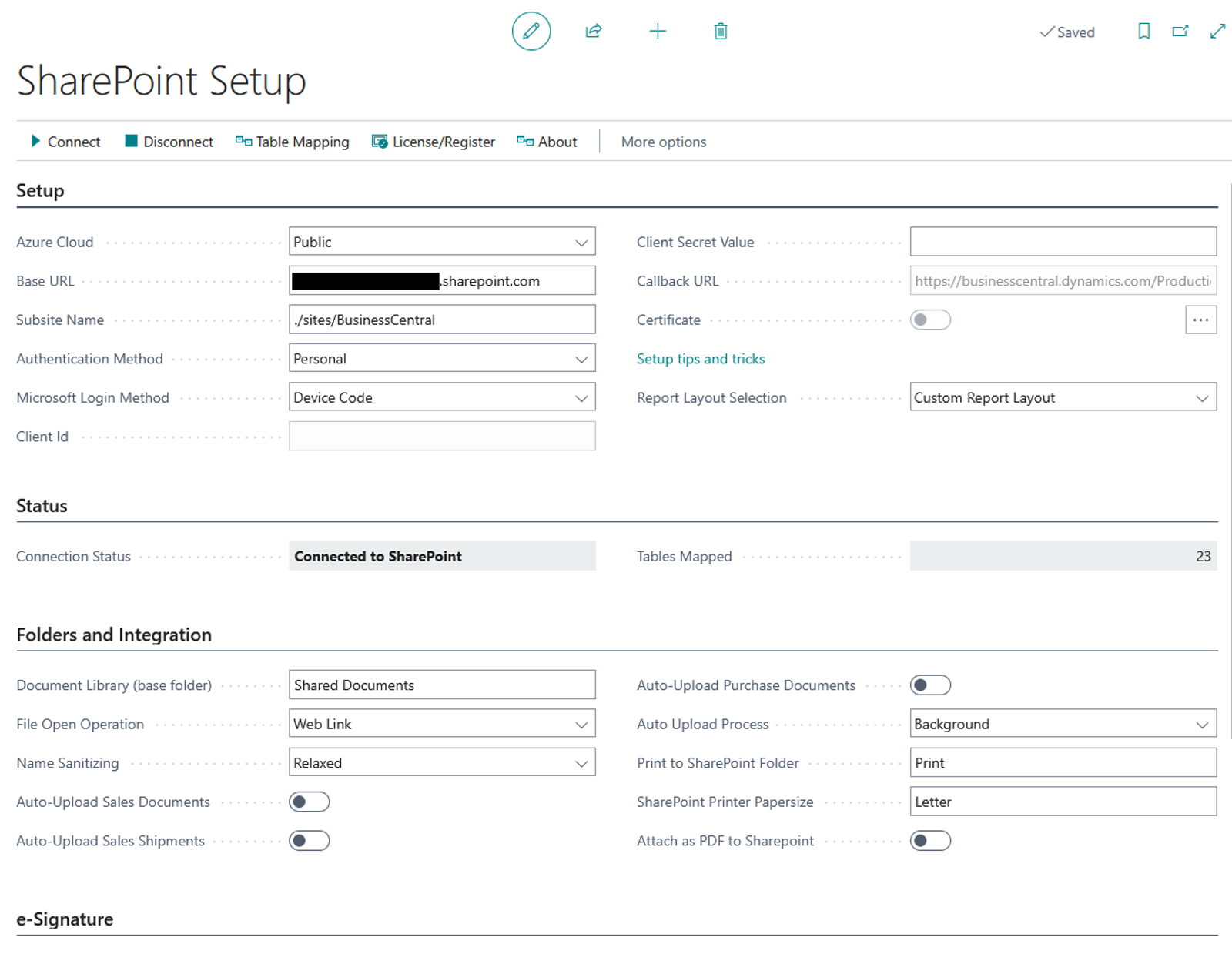
SharePoint Connector links Dynamics 365 Business Central with SharePoint, so invoices, reports and other documents are created in Business Central and stored in the right SharePoint folder, with no one saving them by hand.
What it does
- Documents generated from templates in Business Central
- PDFs created automatically
- Documents uploaded to their SharePoint folders automatically
- Business Central data mapped to SharePoint folders
- SharePoint content opened from Business Central
- Document signing made simpler
Why it helps
- Invoices and reports stored in SharePoint as they are created
- Data consistent and easy to find
- Business Central data available to other applications
- No time spent saving and uploading files
- Documents easy for the whole team to retrieve

QA Health Monitor
A complete Business Central health check. One number, updated daily.
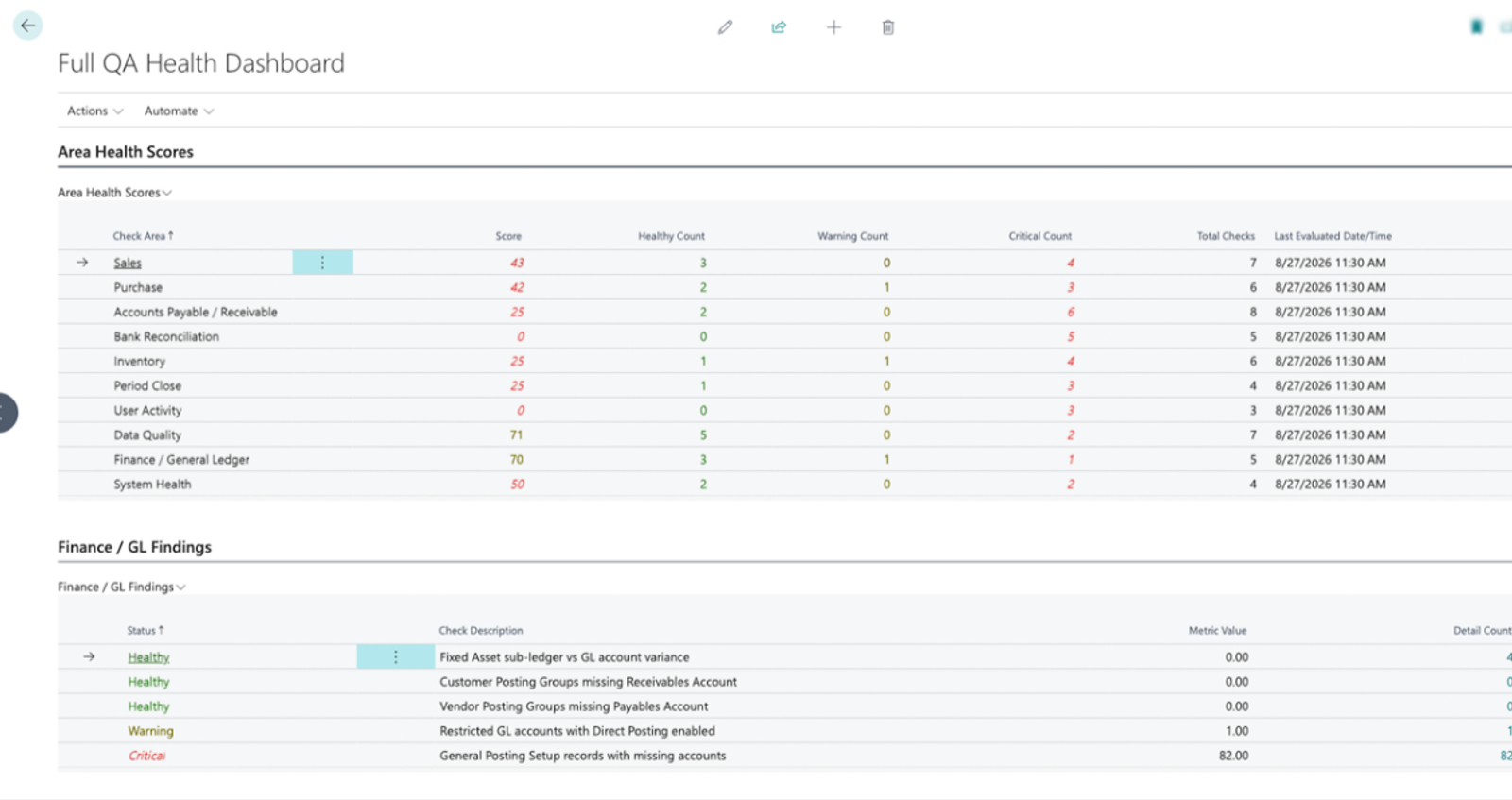
QA Health Monitor checks your Business Central operations every day across ten business areas and rolls the result into one score out of 100, so problems surface without anyone compiling a report.
What it does
- Ten business areas monitored
- A daily health score out of 100, weighted by priority
- Automated daily checks
- Warning and critical thresholds you set
- Drill-down to the source records
- Live in three steps
Why it helps
- Hidden revenue found: work never billed, goods shipped without an invoice, payments not matched
- Bottlenecks flagged before customers notice
- Unfinished items listed days before the books close
- Stock value gaps, zero-cost items and accounts to lock flagged as they happen
- A red metric opens the records behind it, to route to whoever can fix it
More to offer.
Whichever extensions you choose, they work the same way.
Inside Business Central
Each extension works on the pages and data your team already uses, so there is no second system to learn.
Kept up to date
Built as extensions, not edits to Microsoft's code, so Business Central's own updates keep arriving.
Guided setup
An assisted setup and a step-by-step user guide take you through getting each extension running.
Made for Business Central. Built for the Maldives.
Microsoft doesn't localize Business Central for the Maldives, so we built what businesses here need into it: MIRA's tax reporting, procure-to-pay with a portal for suppliers, and the controls a growing company asks for.
Ten extensions, four parts of the business
Finance and control
Budget Control, Maldives Tax Localization and Business Unit.
Buying and stock
Maldives Procurement, Stock Request Management and Advance Warehouse Management.
Industry solutions
Property Management and Project Finance and Construction.
Documents and oversight
SharePoint Connector and QA Health Monitor.
Which one do you need?
Start from what slows your team down today. Each problem below points to the extension that answers it.
Start from the problem
Spending goes over budget before anyone notices
Budget ControlOur GST reports for MIRA are put together by hand
Maldives Tax LocalizationStaff in one division can see another division's data
Business Unit
Stock requests are scattered, and no one knows which were filled
Stock Request ManagementSupplier quotes, orders and invoices are keyed in twice
Maldives Procurement
Lease and loan dates are tracked in spreadsheets
Property Management
We only see a project's margin once it is over
Project Finance and Construction
Stock in the system doesn't match the shelves
Advance Warehouse Management
Documents from Business Central are saved to SharePoint by hand
SharePoint ConnectorErrors in Business Central are found at month-end, not when they happen
QA Health Monitor
Bring these answers to the first call
Rough answers are fine. They help us see which extensions fit and how to set them up.
- Which version of Business Central do you run, and is it online or on your own servers?
- Which of these extensions answer a problem you have today?
- How many companies, business units or locations do you run in Business Central?
- Who approves budgets, purchases and stock transfers today, and how?
- Which reports or documents does your team put together by hand?
- Do you already use SharePoint, and where are your documents kept today?
Ready to make Business Central fit?
Tell us what your team still does by hand. We will show you the extension that takes it on, in a demo.