
Custom Development
Put your customers in control.
Customer Portal is software we built for businesses that sell to other businesses. Your customers order, follow deliveries and check their invoices and balances online, connected to your ERP, while you see what they buy and set their credit limits.
See what it does.
Six features in one portal, each taking a routine request off your team's desk. Every one works with the systems you already run.
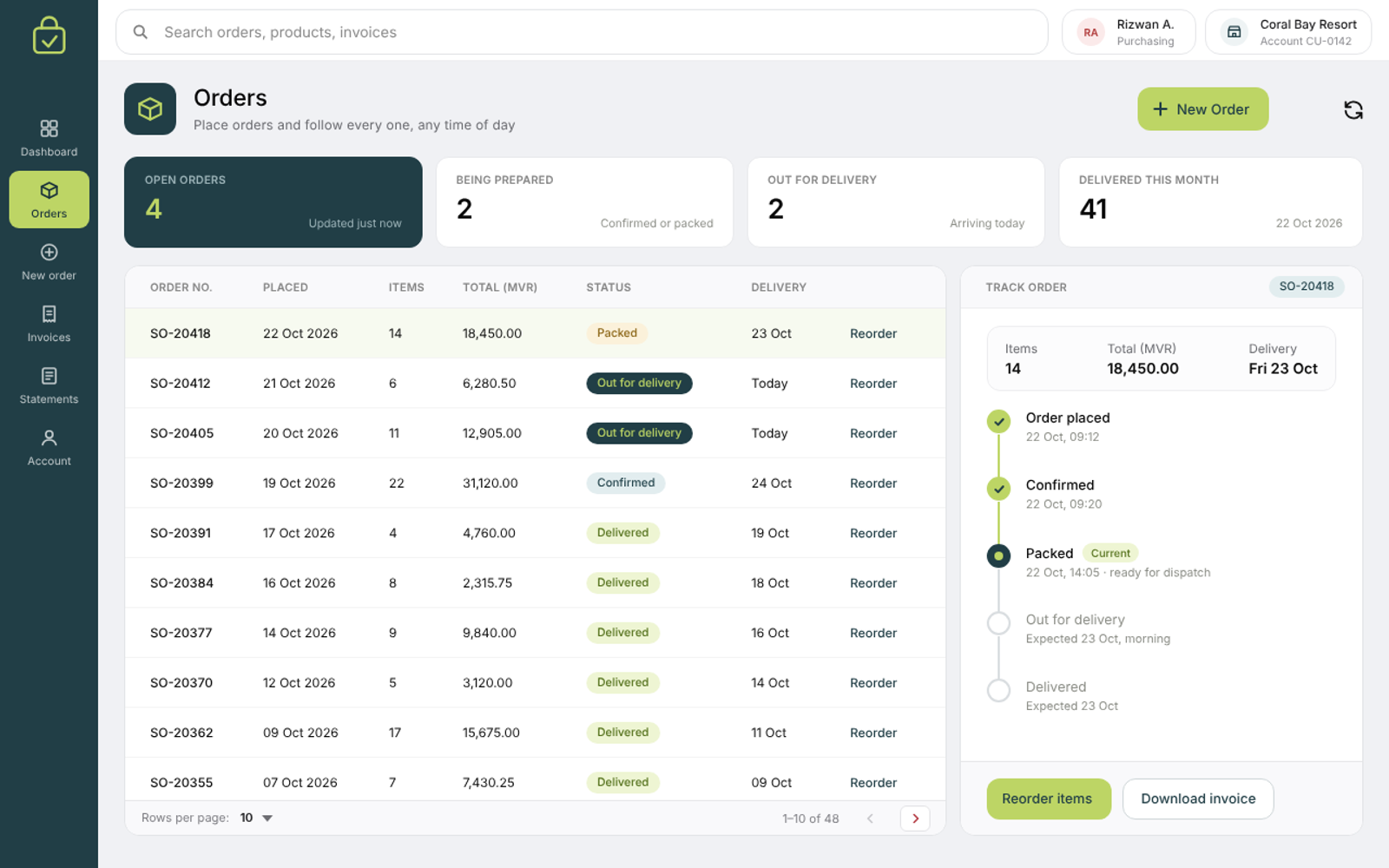
Ordering & tracking
Customers order, and follow every order, on their own.
Your customers place orders straight from the portal and check the status of each one there too, without calling or emailing your team to ask.
What it gives you
- Orders placed from the portal
- The status of every order, at any time
Where it helps
- Regular trade customers who reorder often
- Customers who want updates outside office hours
- Sales teams tired of "where is my order?"
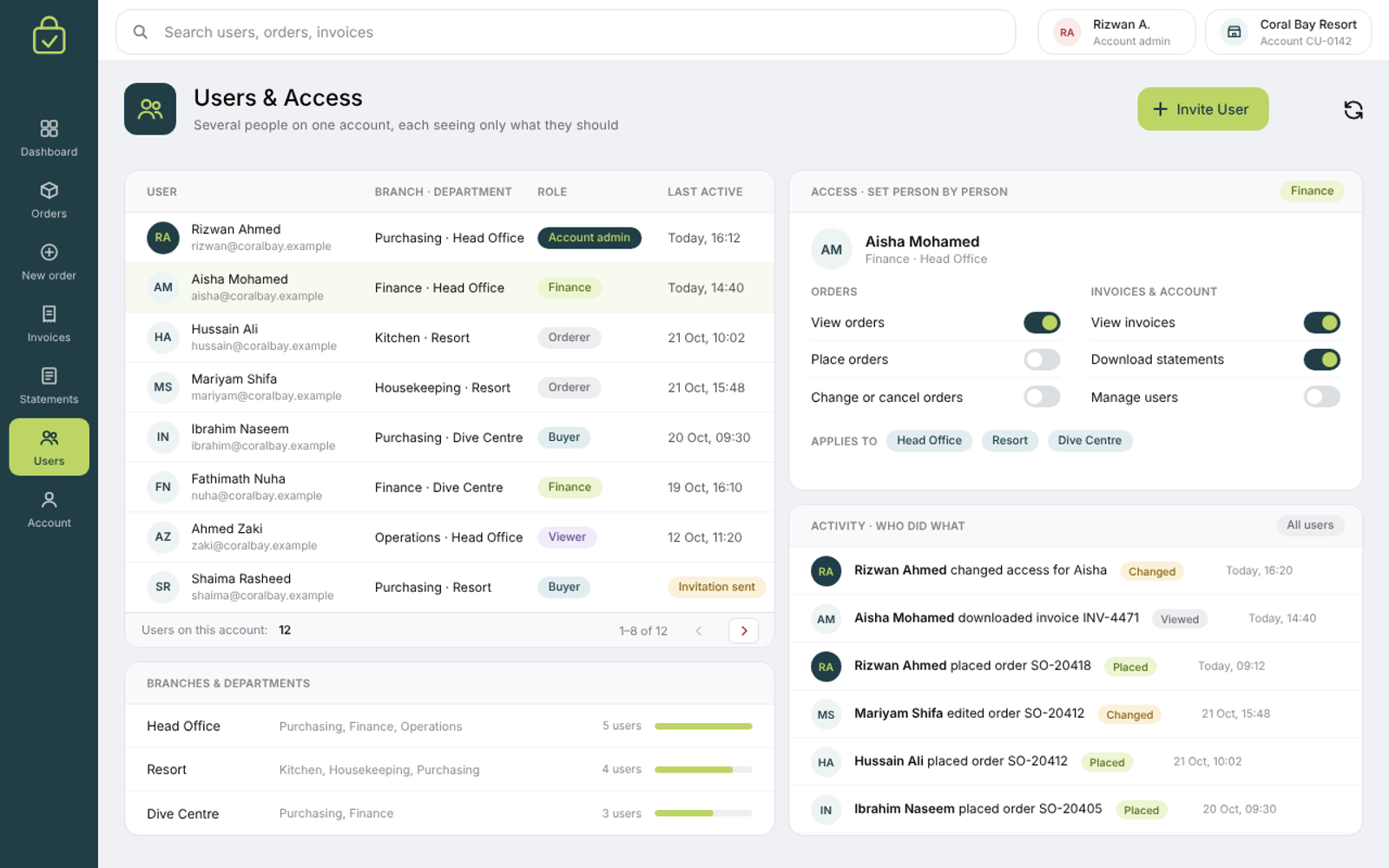
Corporate access
Many people on one account, each seeing only what they should.
Built for business customers, where several people share one account. You decide exactly who can see and do what, and the portal records what each user does.
What it gives you
- Several users under one customer account
- Access set person by person
- A record of each user's activity
Where it helps
- A buyer who orders and a finance team who only checks invoices
- Customers with branches or departments
- Finding out who placed or changed an order
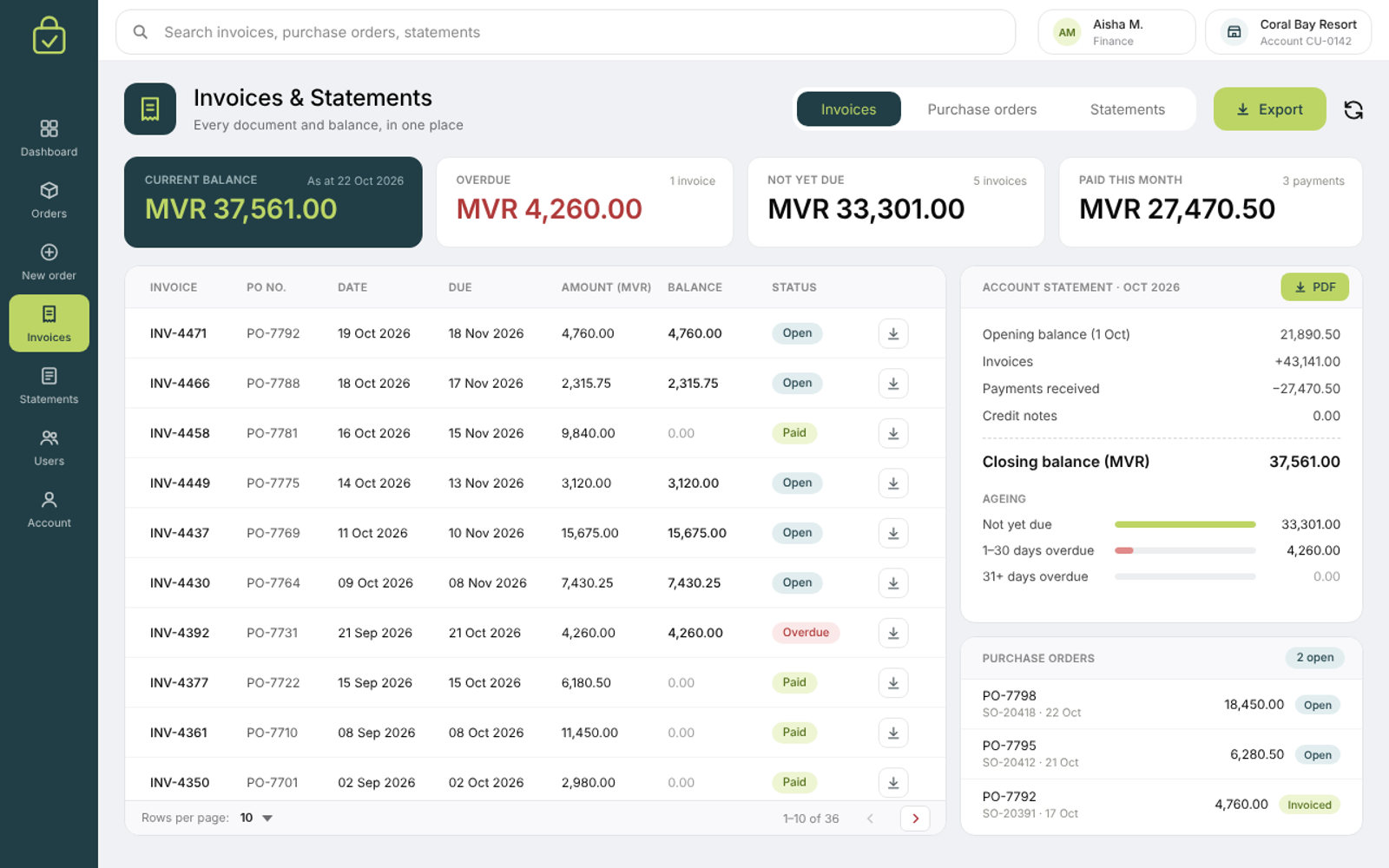
Invoices & statements
Every document and balance, in one place.
Customers see their invoices, purchase orders (POs), account statements and current balance whenever they need them, instead of asking your accounts team for copies.
What it gives you
- Invoices and purchase orders
- Account statements
- Current balances
Where it helps
- Month-end checks on the customer's side
- Fewer requests for copies of invoices
- Customers checking what they owe before they pay
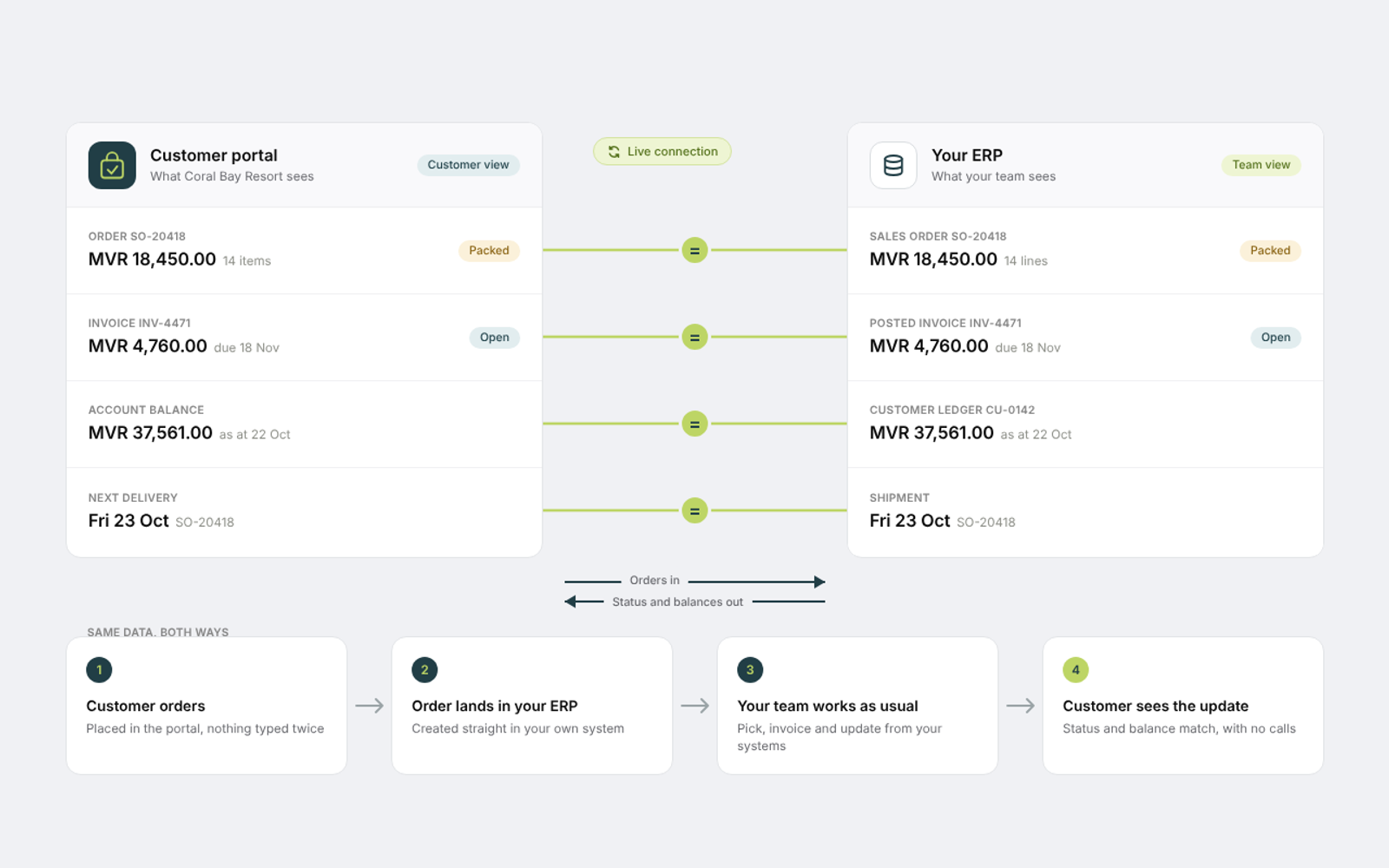
ERP connection
Works with the systems you already run.
The portal connects to your ERP, the system that runs your finance, stock and orders. What customers see matches what your team sees, and everything the portal does can also be done from your own systems.
What it gives you
- One set of numbers for you and your customers
- Everything also done from the systems you own
Where it helps
- Businesses already running an ERP
- Not typing orders in twice
- Finance and sales working from the same figures
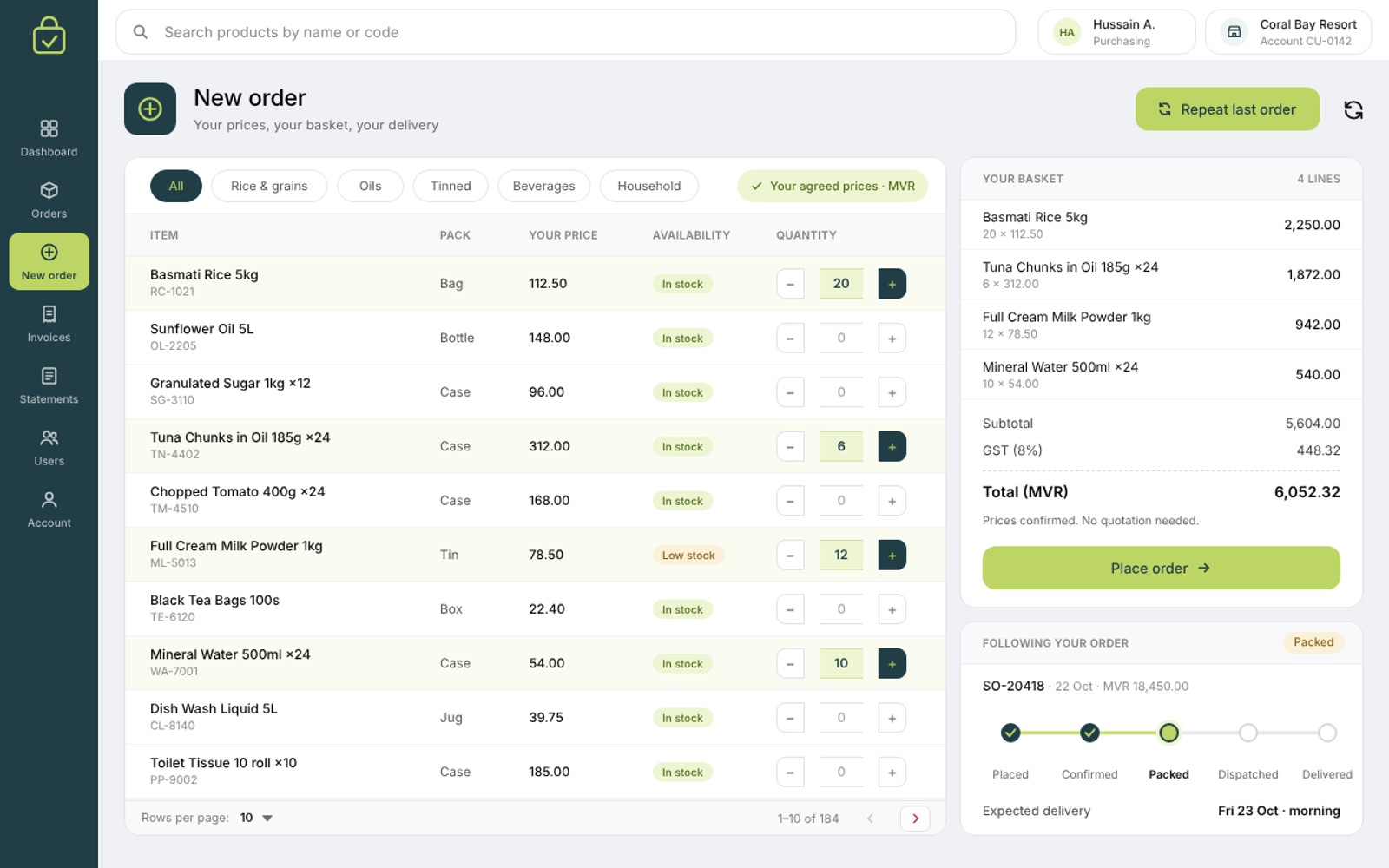
Simpler buying
No more back-and-forth for prices, orders and deliveries.
The usual steps of asking for a quotation, placing the order and chasing the delivery no longer need emails and calls. Customers do them in the portal, and your team deals with the exceptions, not the routine.
What it gives you
- Prices without a quotation request
- Orders without a phone call
- Deliveries followed without chasing
Where it helps
- Customers who order often
- Teams buried in quotation requests
- Shorter time from first question to delivery
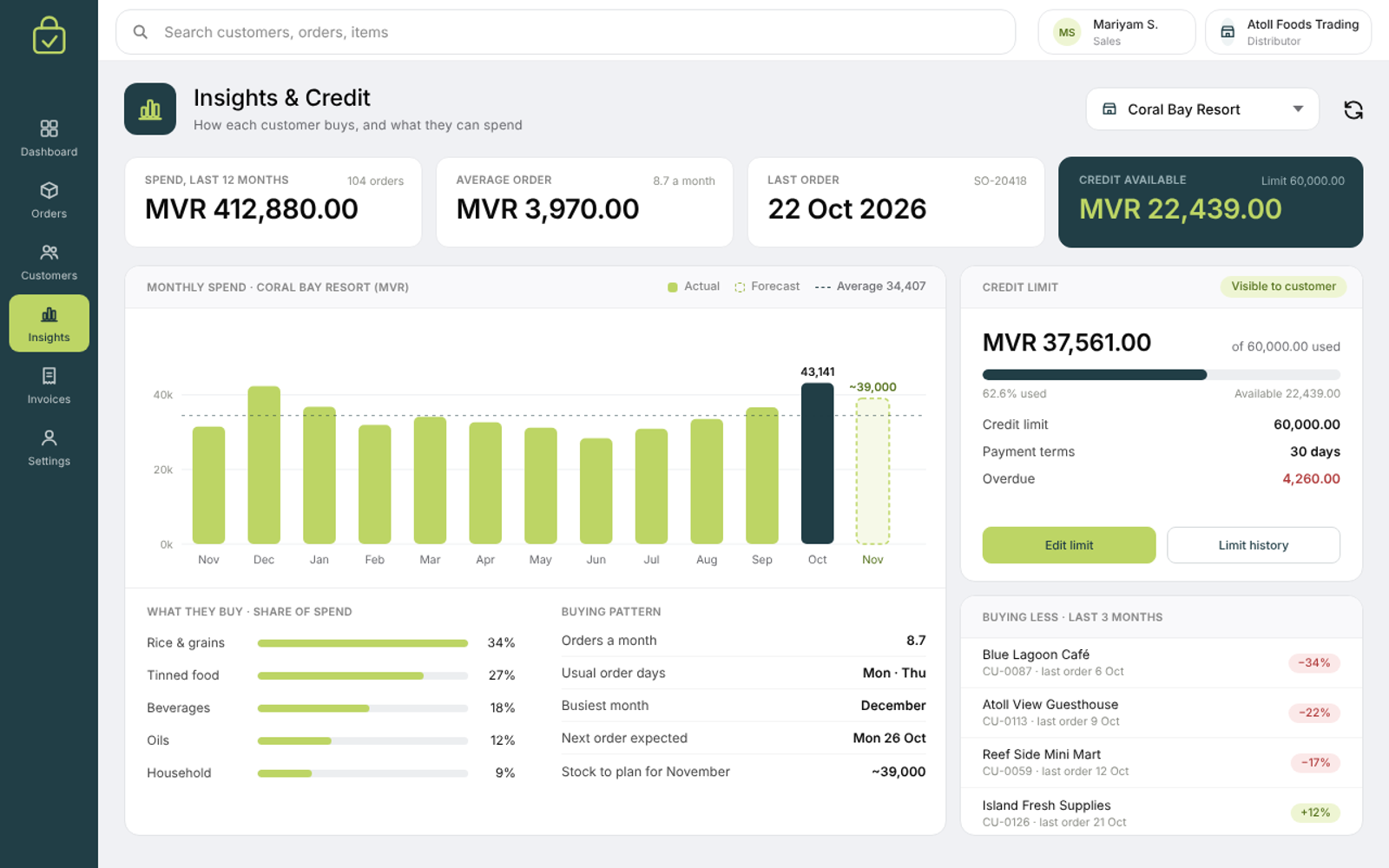
Insights & credit
Know how each customer buys, and plan ahead.
See what each customer buys and when, set a credit limit for every account, and let customers see their own limit. It helps you make decisions customer by customer and forecast what the market and your products will need.
What it gives you
- Each customer's buying patterns
- Credit limits set per customer
- Customers can see their own limit
Where it helps
- Planning stock ahead of demand
- Managing credit on large accounts
- Spotting customers who are buying less
Is it right for you?
If any of these sound familiar, the portal can help. Tell us how your customers buy from you and we will tell you how it would fit.
Start from the problem
Customers call or email to ask where their order is
Ordering & trackingSeveral people at each customer need different access
Corporate accessOur accounts team keeps sending copies of invoices
Invoices & statementsWe don't want to type orders into our ERP twice
ERP connectionEvery order starts with a request for a quotation
Simpler buyingWe can't tell who is buying less or nearing their credit limit
Insights & credit
Bring these answers to the first call
Rough answers are fine. They let us come prepared, so the first conversation is about your customers rather than a form.
- How many customers would use the portal, and how many people at each?
- Which ERP or accounting system do you use?
- How do customers order from you today: email, phone or sales visits?
- Which documents do customers ask you for most often?
- Do you give customers credit, and how are their limits set today?
- Who in your team would look after the portal?
Ready to give your customers their own portal?
Tell us how your customers buy from you. We will show you how the portal fits around it.