
Custom Development
See every project from start to finish.
Project Management Portal is software we built for teams running several projects at once. Plan sprints, track each project and its client work, and keep meetings and documents together, linked to Jira and Microsoft 365. It can be fully customised to your requirements.
See what it does.
Eight features in one portal, from planning a sprint to supporting the project after go-live.
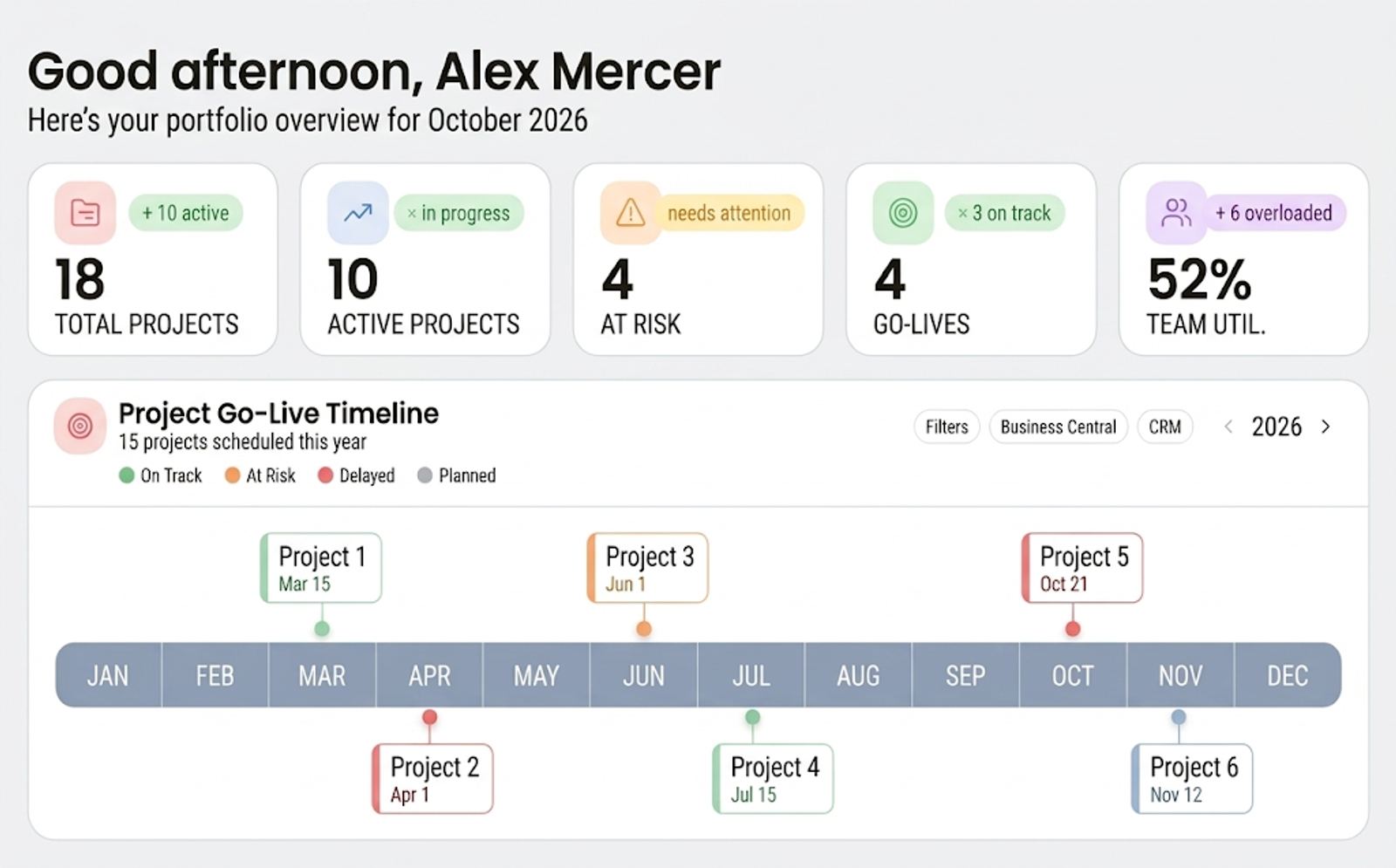
Projects & access
Many projects, each seen by the right people.
Run several projects side by side. Access is granular, set by the projects each person is active in, so people see the work they are part of.
What it gives you
- Several projects managed in one place
- Access set by the projects each person works on
Where it helps
- Teams running several client projects at once
- Keeping one client's work apart from another's
- People who move between projects
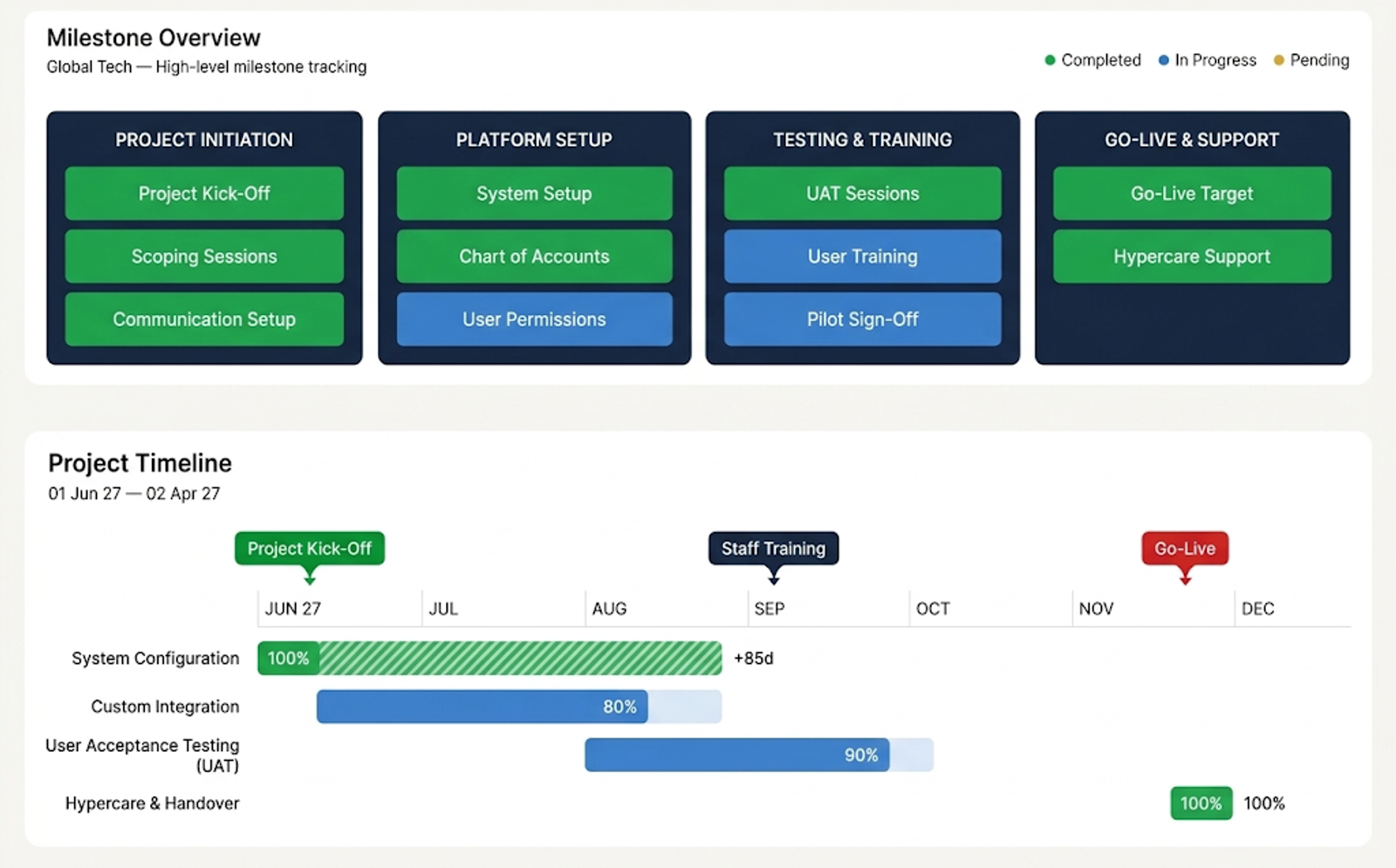
Project tracking
Follow each project from start to finish.
Track every project from start to finish. Heat maps and Gantt charts show where each one stands, and the portal shows whether it is on time.
What it gives you
- Heat maps
- Gantt charts
- Each project's timeliness at a glance
Where it helps
- Weekly project reviews
- Spotting a project that is slipping
- Showing a client where their project stands
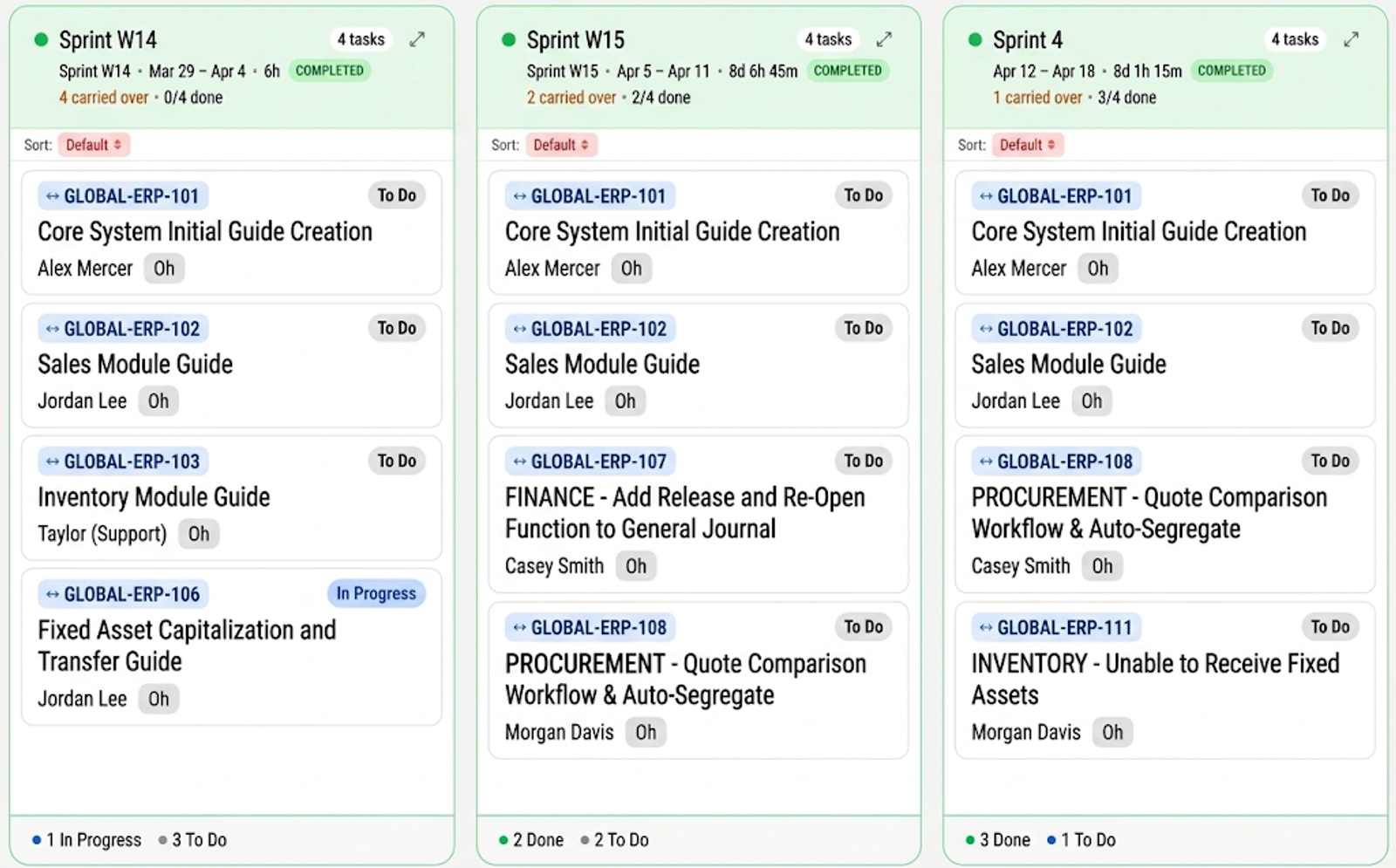
Sprint planning
Plan a month of sprints, or the whole project.
Plan sprints a month at a time, or lay out the full project timeline. As soon as work is put into a sprint, each team member can see what they need to do.
What it gives you
- Sprints planned for a month
- The full project timeline
- Each person's work visible once it is in a sprint
Where it helps
- Monthly sprint planning
- Long projects planned end to end
- Team members finding their next task
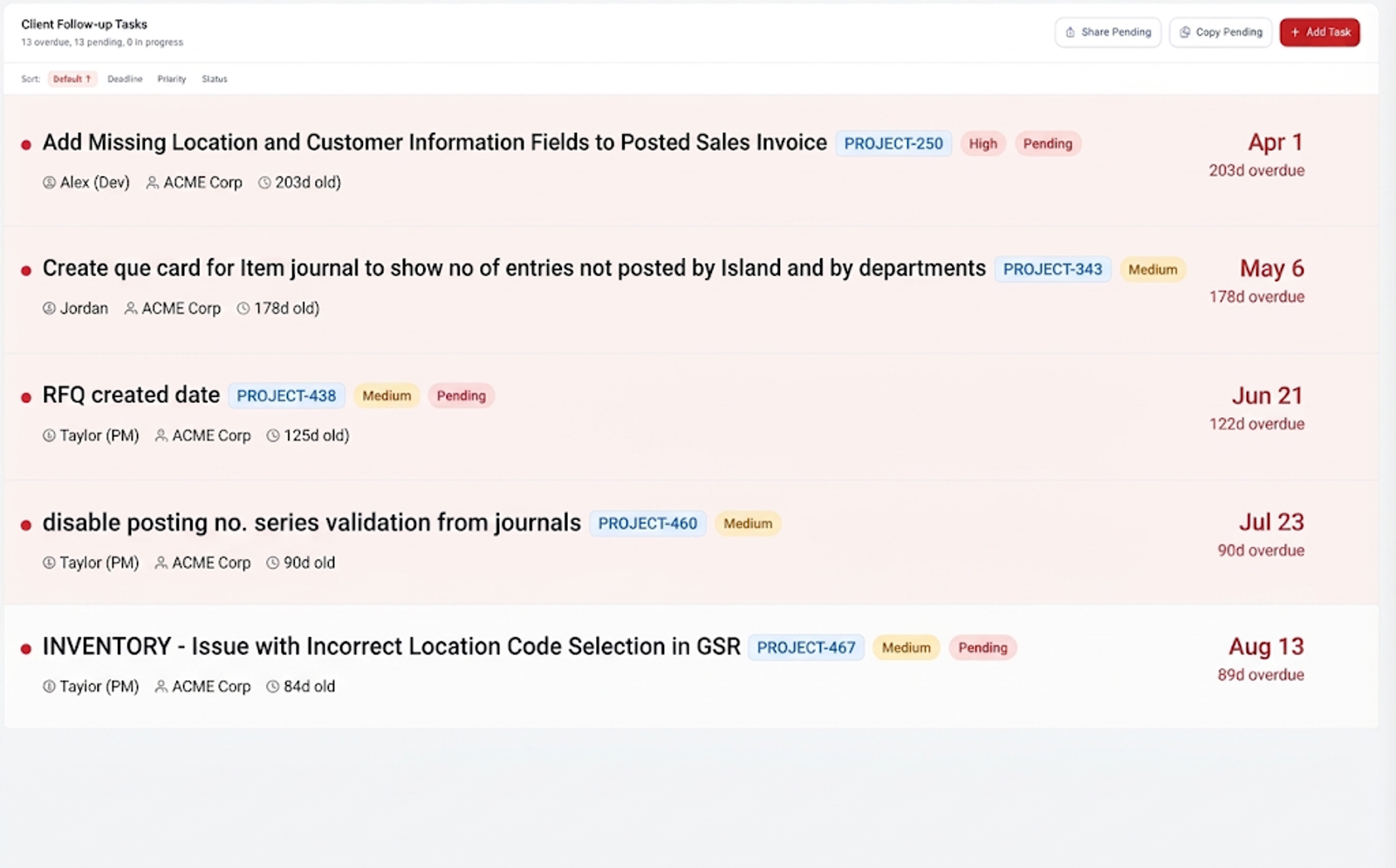
Client work
Tasks, agreements and terms for each client.
Track the tasks you have sent to a client and every agreement made with them, and define terms specific to each client.
What it gives you
- Tasks sent to the client, tracked
- Agreements kept on record
- Terms defined for each client
Where it helps
- Waiting on a client's input or sign-off
- Checking what was agreed
- Clients with their own terms
Meetings & documents
Every meeting and file, with the project it belongs to.
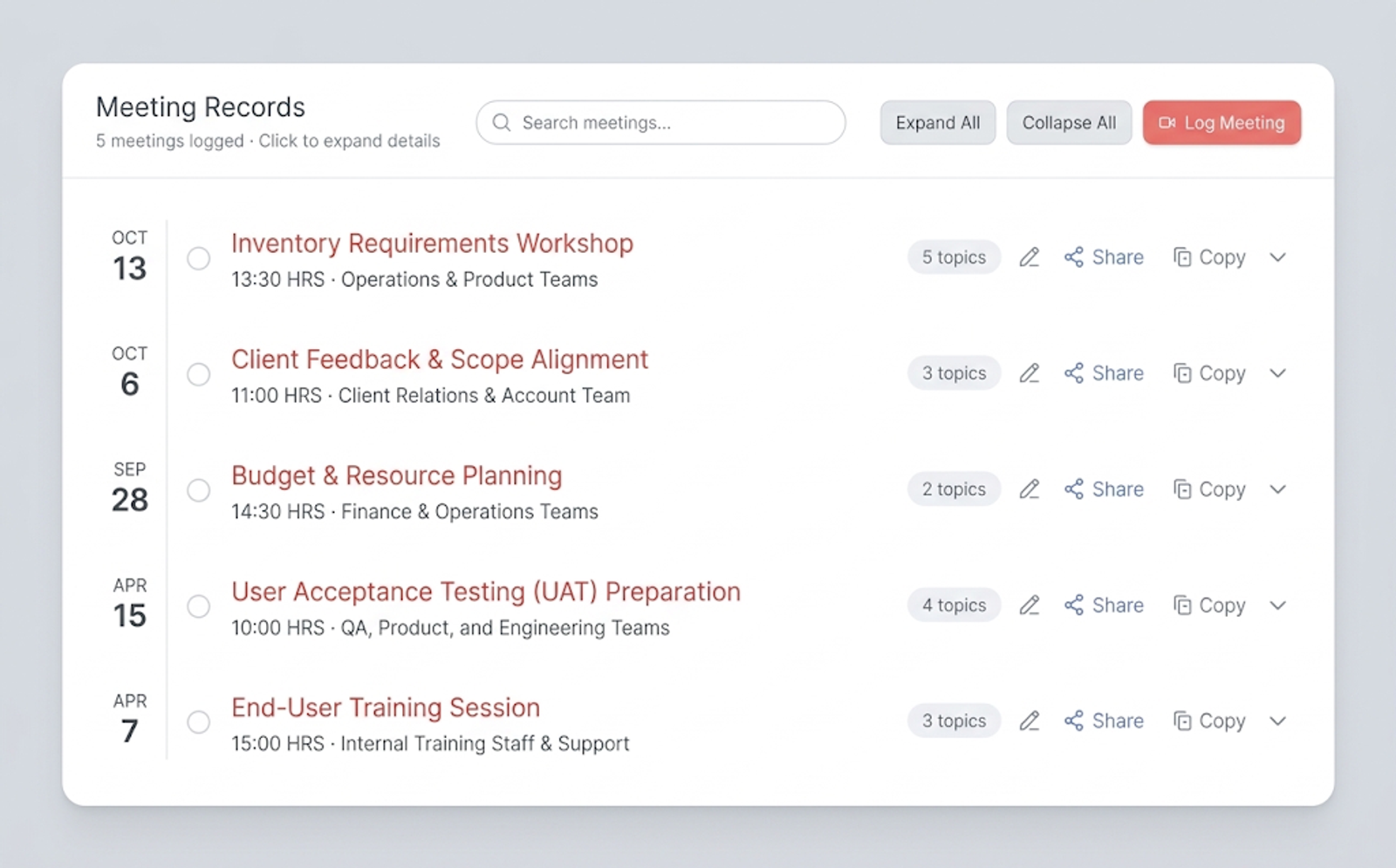
Log every meeting and add its minutes, and manage all of a project's documents in the same place.
What it gives you
- Meetings logged
- Minutes added to each meeting
- All documents managed in one place
Where it helps
- Finding what was decided in a meeting
- Handing a project over to a colleague
- One home for a project's files
Jira & Microsoft 365
Linked to the tools your team already uses.
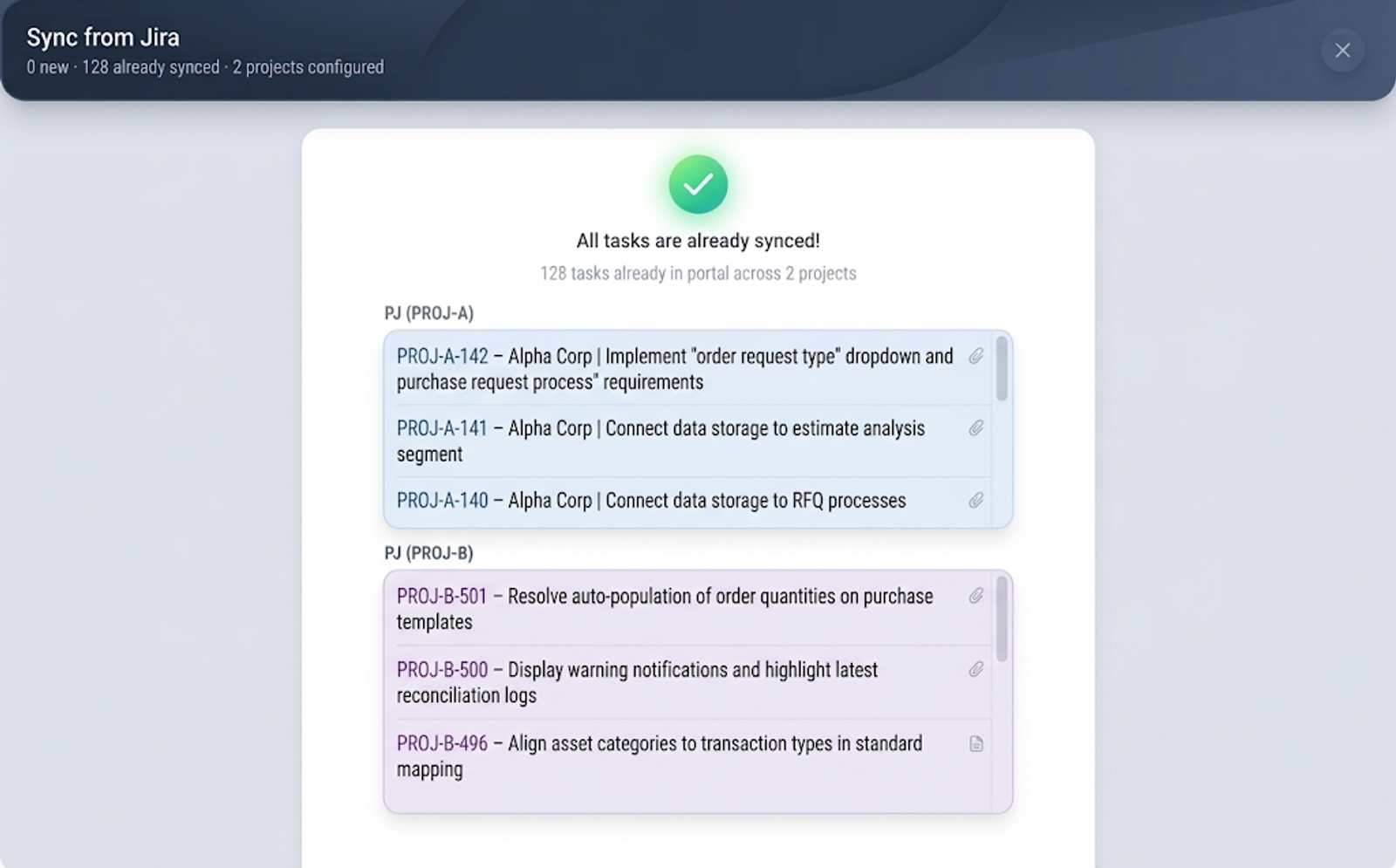
The portal is linked to both Jira and Microsoft 365. Work syncs both ways between Jira and the portal once the permissions are granted, and you can send from the portal to Microsoft Teams, to a channel or a chat.
What it gives you
- Two-way sync with Jira (permissions required)
- Linked to Microsoft 365
- Sent to a Teams channel or chat
Where it helps
- Developers who stay in Jira
- Managers who work in Microsoft 365
- Keeping a Teams channel up to date
Team load
See who has room before you assign the work.
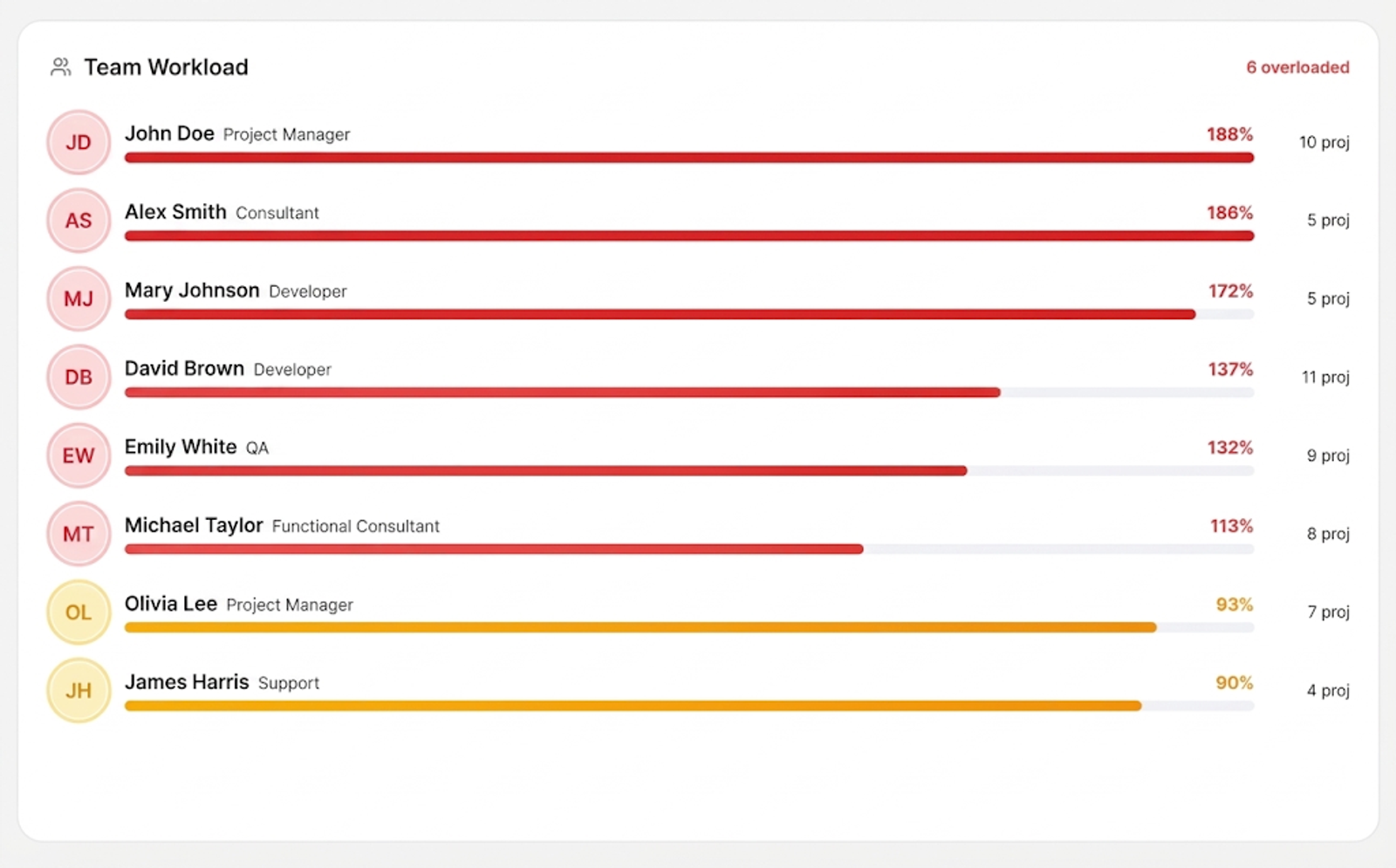
Check your team's resources and how much work each team carries, so new work goes to teams whose load isn't too high.
What it gives you
- Team resources at a glance
- Each team's workload
- Work assigned where there is room
Where it helps
- Deciding who takes a new project
- Spotting a team close to overload
- Balancing work across teams
Support & SLAs
After go-live, support is tracked too.
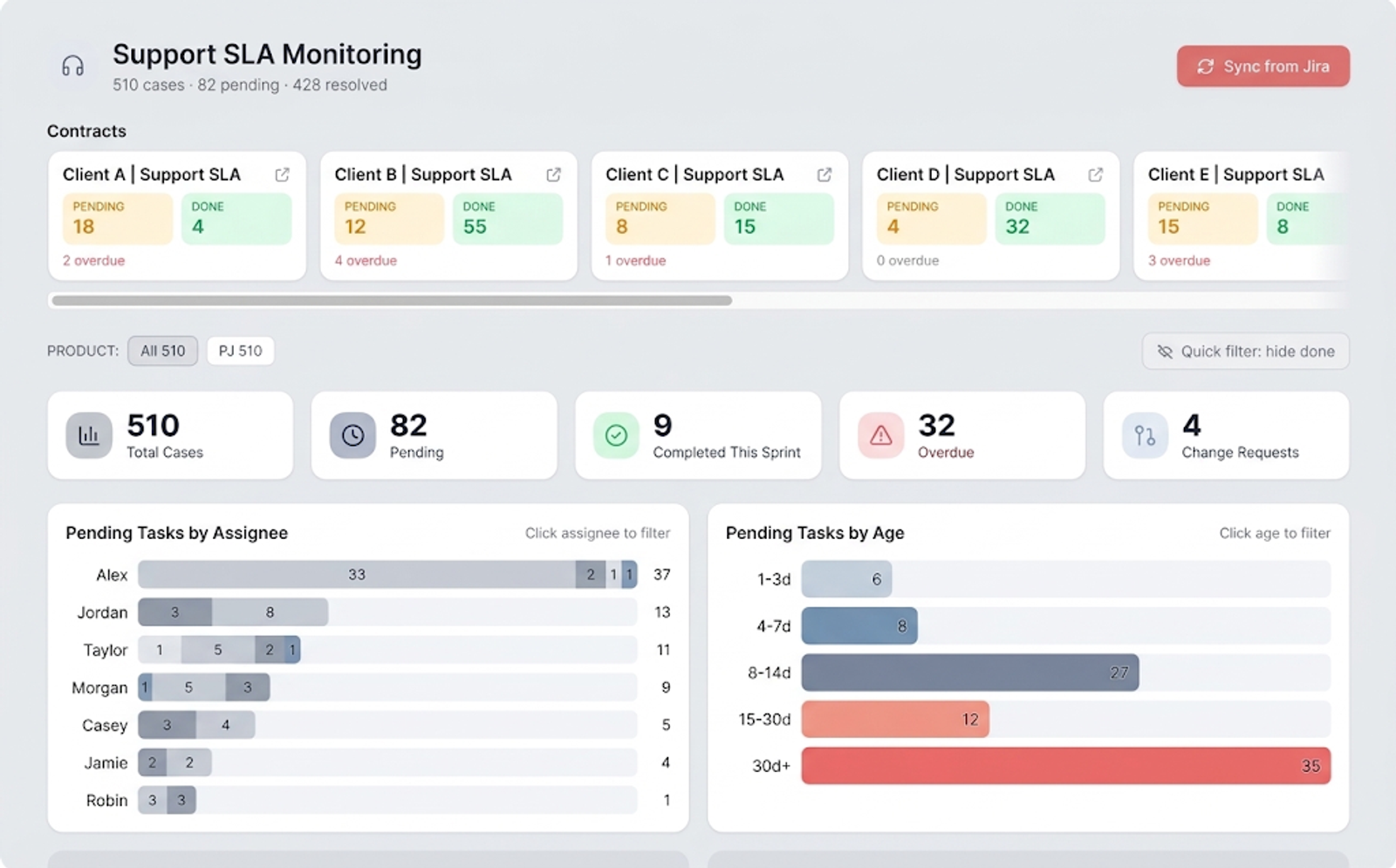
Support after go-live is shown with each project, and tracked against the SLA, the service levels agreed with the client.
What it gives you
- Post go-live support shown with each project
- Support tracked against its SLA
Where it helps
- Projects with a support period after launch
- Reporting on SLAs to a client
- Seeing which projects are still in support
More to offer.
Beyond the core features, smaller tools that help the team every day.
My work
An AI gives each person an automatic summary of their work and what to focus on.
Reports
Reports such as sprint trends and progress, generated from the work in the portal.
Time logging
Log the time spent on your work, in the same place as the work itself.
Engagement
See how each person engages with the team, and how many meetings they carry.
Views for each role
Different views for each role, so everyone sees what matters to them.
Fully customisable
The portal can be shaped around your own requirements.
Is it right for you?
If any of these sound familiar, the portal can help. Tell us how your team runs projects and we will tell you how it would fit.
Start from the problem
People can see projects they don't work on
Projects & accessWe can't see which projects are running late
Project trackingThe team isn't sure what to work on this sprint
Sprint planningWe lose track of what we are waiting on from clients
Client workMeeting notes and documents are scattered
Meetings & documentsOur work is split between Jira and Microsoft 365
Jira & Microsoft 365Some teams are overloaded while others have room
Team loadWe don't know if we are meeting our support SLAs
Support & SLAs
Bring these answers to the first call
Rough answers are fine. They let us come prepared, so the first conversation is about your projects rather than a form.
- How many projects do you run at once, and how many people work on them?
- Do you use Jira, Microsoft 365, or both?
- How do you plan sprints and track timelines today?
- Do you support projects after go-live, and under what SLAs?
- Which reports does your management ask for?
- Which roles would use the portal, and what does each need to see?
Ready to see every project in one place?
Tell us how your team runs projects today. We will show you how the portal fits around it.